

I used ChatGPT's new voice mode to translate the World Cup in real time — here's what happened
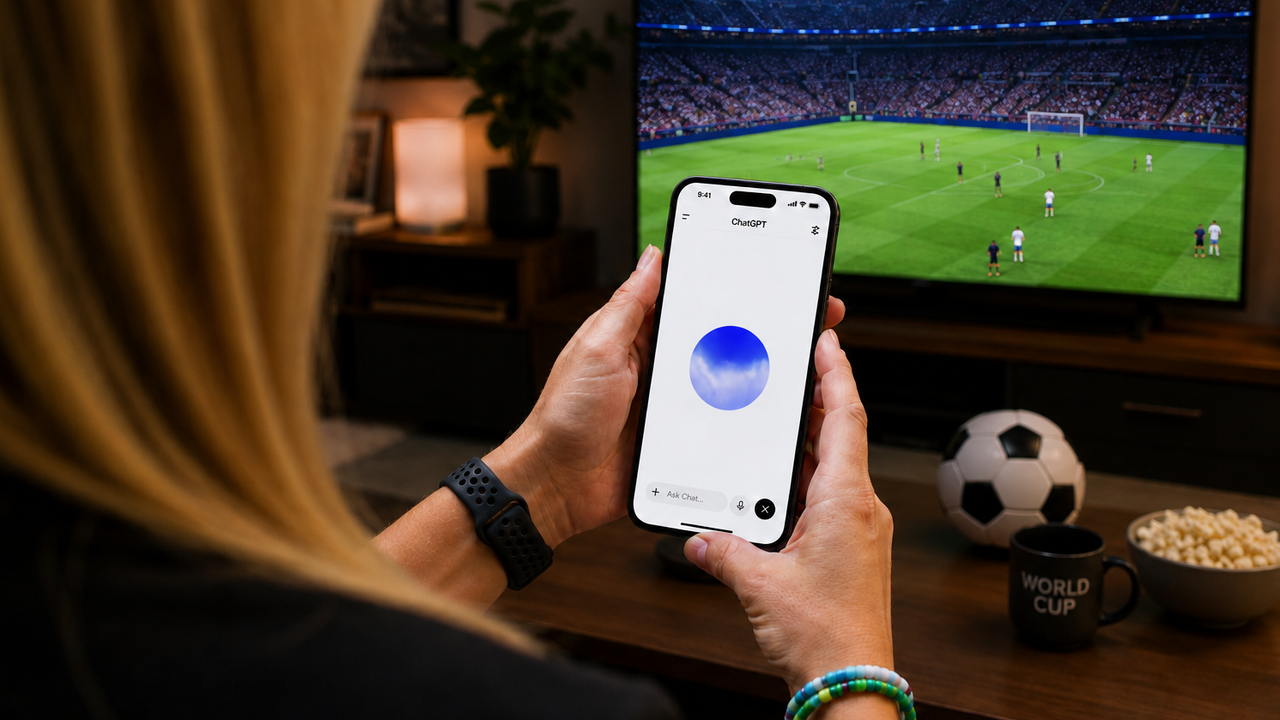
OpenAI just dropped GPT-Live (specifically GPT-Live-1 and GPT-Live-1 mini), and it completely changes how it feels to talk to an AI. We've all seen what ChatGPT Voice can do, but this feels like a completely different AI.
Previous versions of ChatGPT Voice felt rigid and robotic because it didn't quite understand pauses or when exactly to respond. That's why I can't emphasize enough how much different GPT-Live feels. It completely breaks that mold. By far the best aspect of this update is how it handles continuous, real-time media.
Intrigued by the update's new "full-duplex" tech, I decided to test its limits during the 2026 World Cup knockout rounds. Although there were no games today, I put my phone next to my laptop speakers, pulled up a previous Telemundo stream, and let ChatGPT listen to the rapid-fire Spanish commentary.
Instead of waiting for pauses or cutting out when the announcers yelled, ChatGPT acted exactly like a simultaneous interpreter by providing a continuous, running English translation directly over the top of the broadcast's audio.
Here is how the underlying technology makes this possible, how OpenAI is keeping it safe, and the exact prompts you can use to try it yourself.
What Makes GPT-Live different?
For starters, the biggest technical breakthrough here is a full-duplex architecture. Instead of taking turns, GPT-Live listens and speaks at the exact same time. Not always, as in, it's not talking in English alongside of you. But it mimics human conversation dynamics by dropping active listening cues like "mhmm," "yeah," or "got it" while you talk or simultaneously translates into English when asked. And, if you trail off to think, it actually waits for you instead of cutting you off.
OpenAI calls this decoupled delegation, meaning ChatGPT stays on the line, chatting with you naturally, while delegating heavy-duty reasoning or deep web searches to OpenAI's flagship models (like GPT-5.5) in the background.
Plus, you no longer have to listen to an AI read out a long list of numbers or complex details. While you are talking, ChatGPT can now dynamically pop up rich visual cards on your screen for things like weather forecasts, stock charts, maps and sports stats. I found the visuals to be extremely helpful, particularly for things like dates of the World Cup.
5 Prompts to Put GPT-Live to the Test
Because GPT-Live thrives on interruptions, multitasking and continuous listening, standard text prompts don’t do it justice. Open the ChatGPT app, tap the waveform icon and try these five hands-free prompts:
1. The international sports hack
Try the prompt: "I am about to watch a live sports broadcast out loud in [Foreign Language, e.g., Spanish/French]. I want you to act as my simultaneous translator. Do not interrupt the audio, do not wait for pauses, and do not add any commentary of your own. Just provide a continuous, running English translation of everything the commentators are saying as you hear it."
Why it works: Because GPT-Live can listen and speak at the same time, it can track continuous external audio. And, unlike Meta Display Glasses that require you to look directly at the person speaking, ChatGPT simply listens. So, all you need to do is turn on an international stream or watch post-match press conferences on your TV, set your phone down near the speaker, and get an instant audio dub.
2. The active brainstormer
Try the prompt: "Hey, let's brainstorm some unique business concepts for a local, sustainable coffee shop. I want you to pitch me an idea, but I’m going to interrupt you with objections as you speak, and I want you to pivot your pitch on the fly based on what I say."
Why it works: This tests the model's full-duplex capabilities. You can cut it off mid-sentence, and it will smoothly adapt its logic without stumbling or restarting its thought process.
3. The multi-tasking match tracker
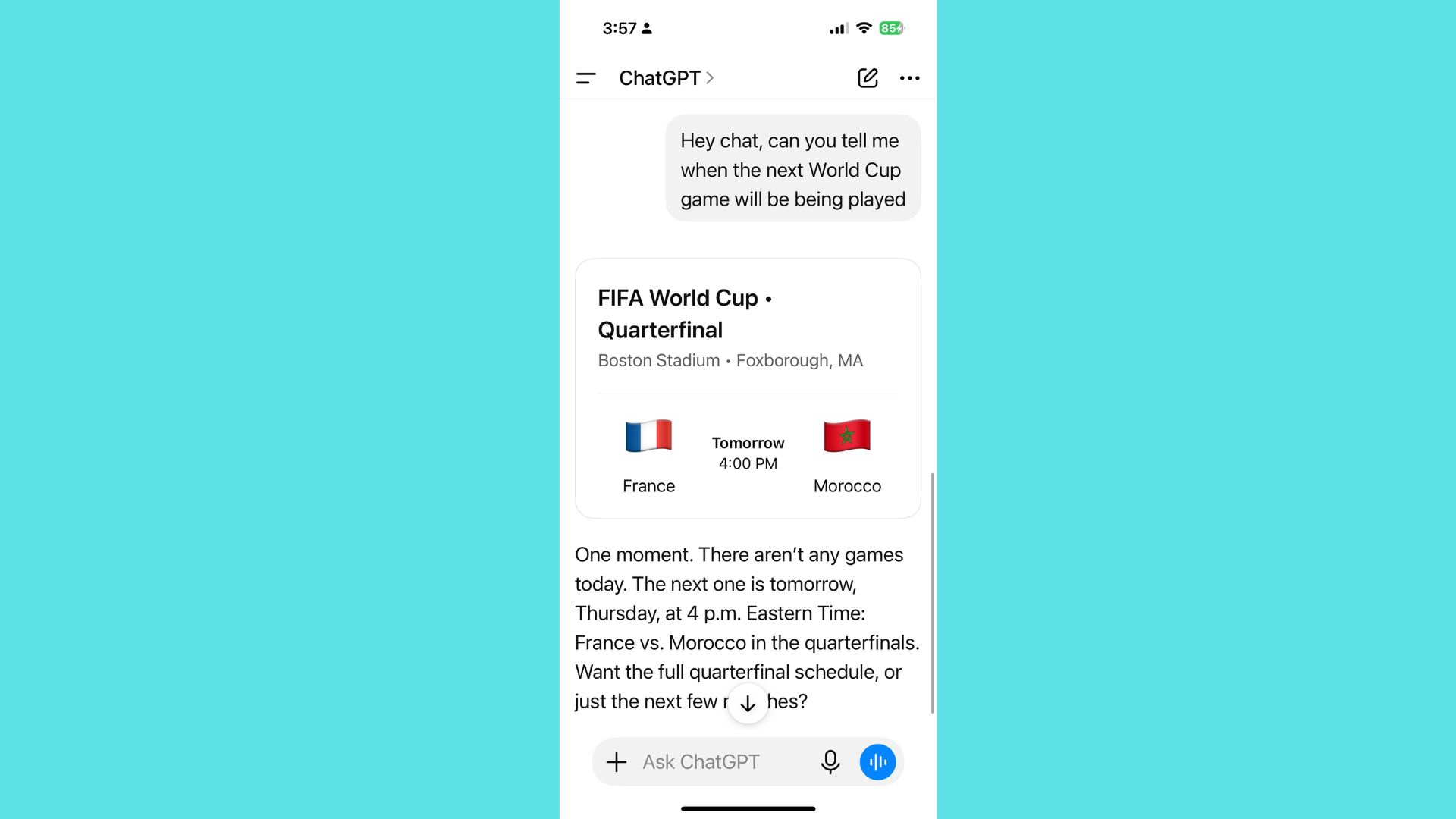
Try the prompt: "I'm watching the World Cup right now. Can you look up the current tournament bracket standings, find a quick list of upcoming quarterfinal matches, and check the weather forecast for Miami's stadium? Keep talking to me about the tournament's biggest upsets while you look it all up."
Why it works: This forces the model to use decoupled delegation. It will keep chatting with you casually while background processes fetch real-time data, triggering the new visual cards right on your screen.
4. The 'don't interrupt me' brain dump
Try the prompt: "I'm going to explain a complex problem I'm having with a project layout. I tend to hesitate, pause, and talk through my thoughts slowly. I want you to just listen actively, acknowledge that you're following, and do not give me a final answer until I explicitly say 'Okay, I'm done, what do you think?'"
Why it works: This tests the model's new turn-detection and background noise filtering. It proves it can tolerate natural human pauses without jumping the gun.
5. The live language coach
Try the prompt: "Act as my live translator. I'm going to practice ordering food at a restaurant in Italian. Let's do a fast-paced roleplay where you play the waiter, speak completely in Italian, but give me quick, subtle English audio hints if I hesitate for too long on a word."
Why it works: The ultra-low latency and fluid back-and-forth make real-time language practice feel incredibly organic rather than robotic.
Safety designed for real-time speech
Because audio-native conversations carry more emotional weight and happen faster than text, OpenAI introduced entirely new safeguards alongside GPT-Live:
- Real-time 'runtime' controls: The system monitors the conversation as it happens. If the AI veers into a risky generation, it will dynamically steer the voice response away, or terminate the call entirely in high-risk cases.
- Teen protections & parental controls: OpenAI says age-appropriate behavior is trained directly into the model. Parents can completely disable ChatGPT Voice for their teens via Parental Controls, and linked parents can be notified if a teen exhibits signs of severe distress or self-harm.
- Anti-impersonation: To prevent deepfakes, GPT-Live is strictly locked to OpenAI’s nine remastered, predefined system voices. OpenAI says it will reject any command to clone or imitate a real person’s voice.
- Monitoring emotional reliance: Because the model sounds incredibly human (using conversational filler like "mhmm"), OpenAI has deployed long-term tracking to study and prevent users from forming unhealthy emotional attachments to the AI.
How to get it
GPT-Live-1 is rolling out globally now as the default voice engine for ChatGPT Plus, Pro, and Go users, while GPT-Live-1 mini is hitting the Free tier. If you have the update on iOS, Android or desktop, just tap the voice button and experience the next generation of AI interaction for yourself.
You'll notice the typical blue circle is now lavender, which is how you know you're using GPT-Live-1. Let me know what you think in the comments.
Follow Amanda Caswell and stay ahead of the AI curve
More from Tom's Guide
- Gemini isn't just a chatbot anymore — here are 13 things it can do in 2026
- I replaced my true crime podcast with ChatGPT Voice for a week — here's what happened
- ChatGPT isn't just a chatbot anymore — here are 11 things it can do in 2026
Follow Amanda Caswell and stay ahead of the AI curve
More from Tom's Guide
- Gemini isn't just a chatbot anymore — here are 13 things it can do in 2026
- I replaced my true crime podcast with ChatGPT Voice for a week — here's what happened
- ChatGPT isn't just a chatbot anymore — here are 11 things it can do in 2026
Follow Amanda Caswell and stay ahead of the AI curve
More from Tom's Guide
This is a preview from the original publisher. Continue reading at the source:
Read Full Article on tomsguide.com →