

I tested Withings' ScanWatch 2 and while its breathing exercises help fix 3 a.m. stress wake-ups, there are better sleep trackers for the money
Withings ScanWatch 2: Review in brief
Despite my love of sleep tech, I used to think the only way you'd get me in a smartwatch was by tearing my beloved analog watch from my cold, dead wrist. The Withings ScanWatch 2 has proven me wrong, showing there is an option for those who want functional health tracking in more attractive packaging than a black screen.
The Withings ScanWatch 2 looks like your conventional watch but packed inside is a wealth of health and fitness tech. From sleep tracking to step counters to SpO2 measures, the ScanWatch 2 features advanced tech designed to give you a well-rounded view of your health.
Overall, the health and sleep data is comparable to the best sleep trackers (although I found the Withings Sleep Mat comes out on top for sleep metrics), and the Withings app makes it easy to understand. You do have to upgrade to Withings+, however, if you want advice on what to do with that data.
To maintain the analog look, the ScanWatch2 does have to make some sacrifices. The paired down display means you have to use the app for detailed insight and scrolling through the small dial can be frustrating. It’s also one of the bulkier health trackers, which makes it less comfortable for sleep (and quite warm to wear).
But this is a smartwatch for people who don’t want to wear a smartwatch and although the display might be simplified compared to say, the Apple Watch 11, the data and the tech isn’t.
Withings ScanWatch 2: Price
The WithingsScan Watch 2 starts at $369.95 US / £319.99 UK at Withings. A standard wristband is included, but you can add additional wristbands (including a metal buckle design) from $35.95 / £35.95.
That places it among premium fitness trackers, such as the Apple Watch 11 (from $399.99 / £369.99 at Amazon) or the Oura Ring 5 (from $399 / £399 at Oura). Withings does offer a more affordable alternative in the ScanWatch Light ($249.95 / £319.95) or, if it’s just sleep tracking you want, the Withings Sleep Mat is $199.95 / £129.95.
I tested the Withings ScanWatch 2 using the basic free tier but you can upgrade to the Withings+ subscription. One month comes free and after that it's either $9.95 / £8.95 per month, or $99.50 / £89.50 a year.
Withings ScanWatch 2: Design and Comfort
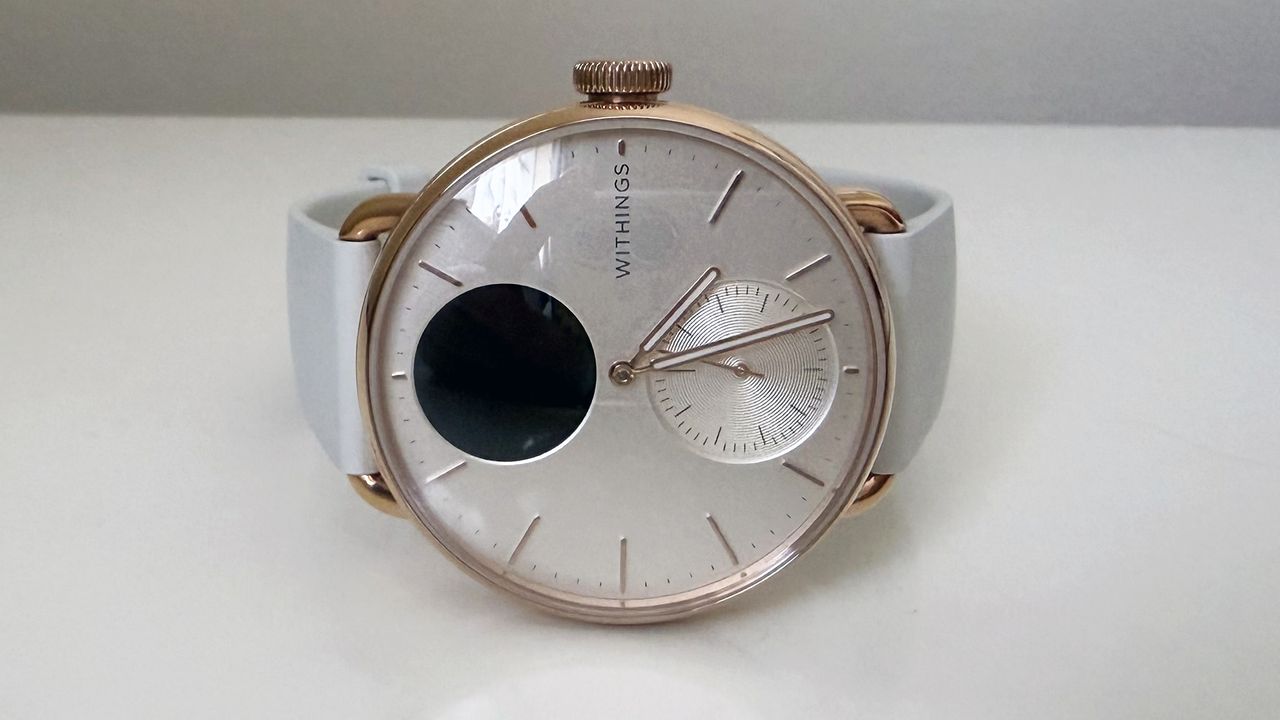
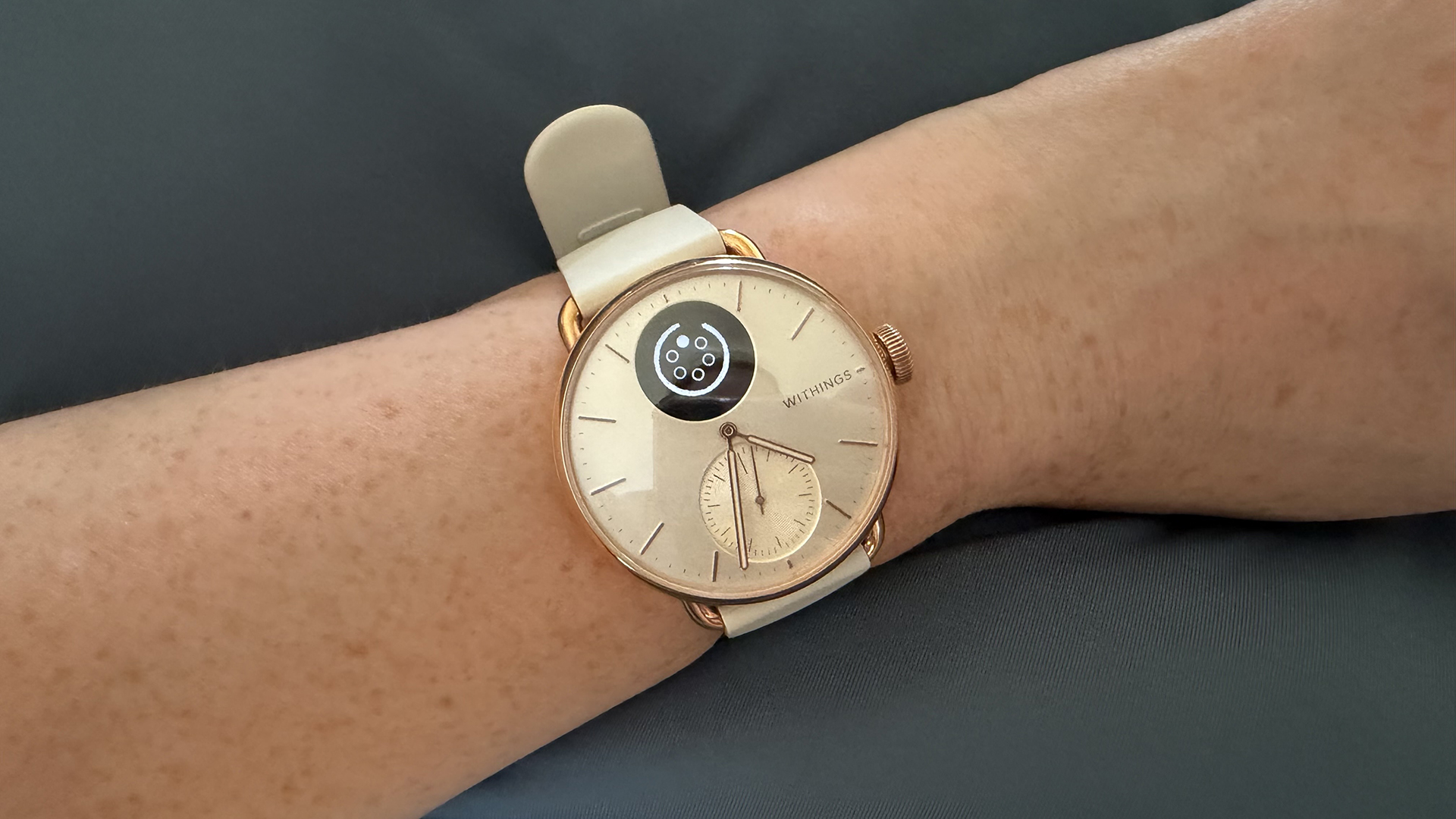
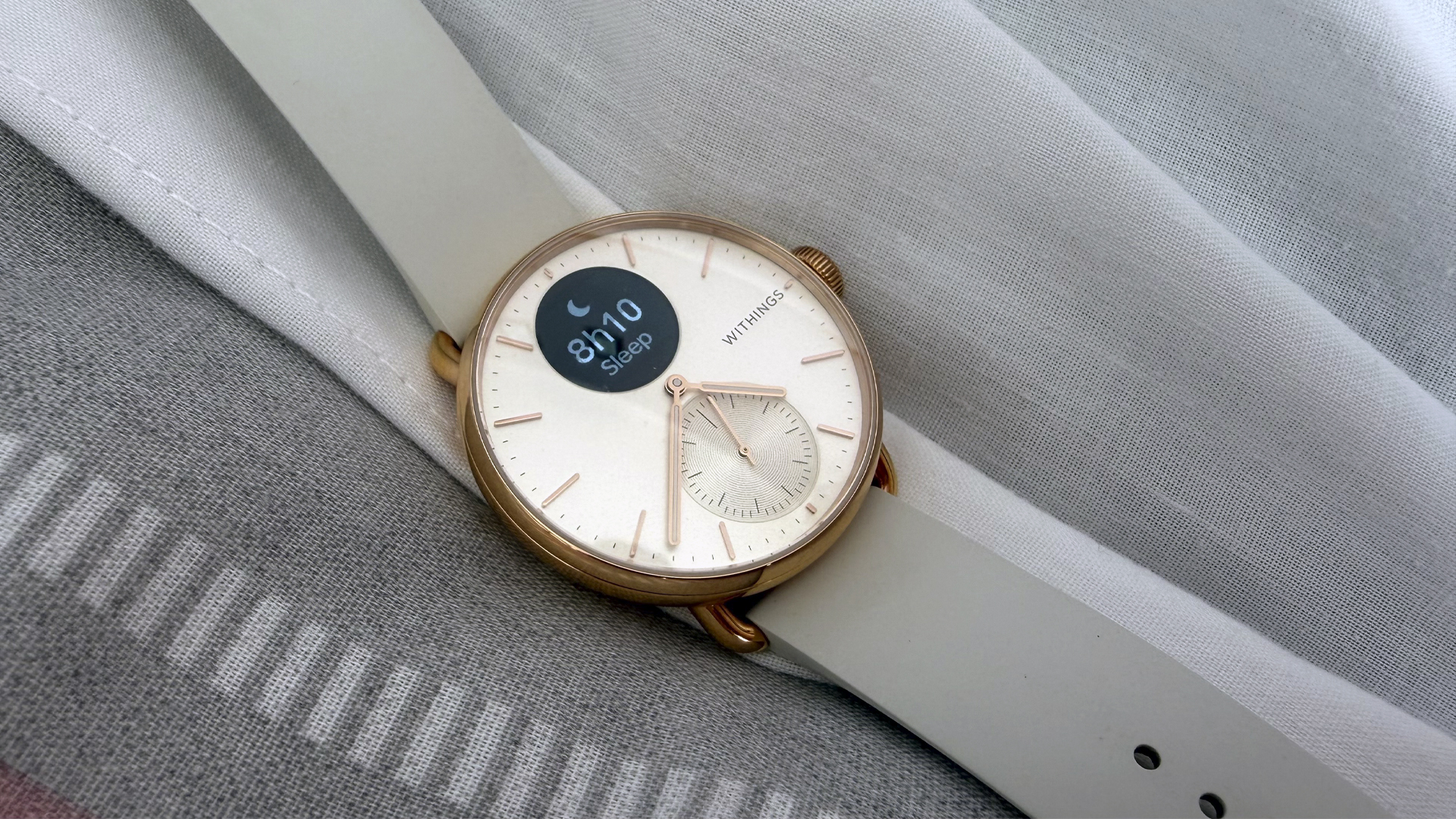
I’m a diehard analog watch lover and so the hybrid design of the Withings ScanWatch 2 appeals exactly to my taste. It looks like an analog watch until you get close and discover the double dials are hiding a health tracker and a step counter.
The upper dial is the digital display and it's here you'll find your health tracking data (and any notifications). It's easy to see both in daylight and the dark. The crown on the bezel is used not to change the time (that happens automatically automatically) but to scroll through the menu. The lower dial tracks your fitness goal, such as how close you are to 10,000 steps.
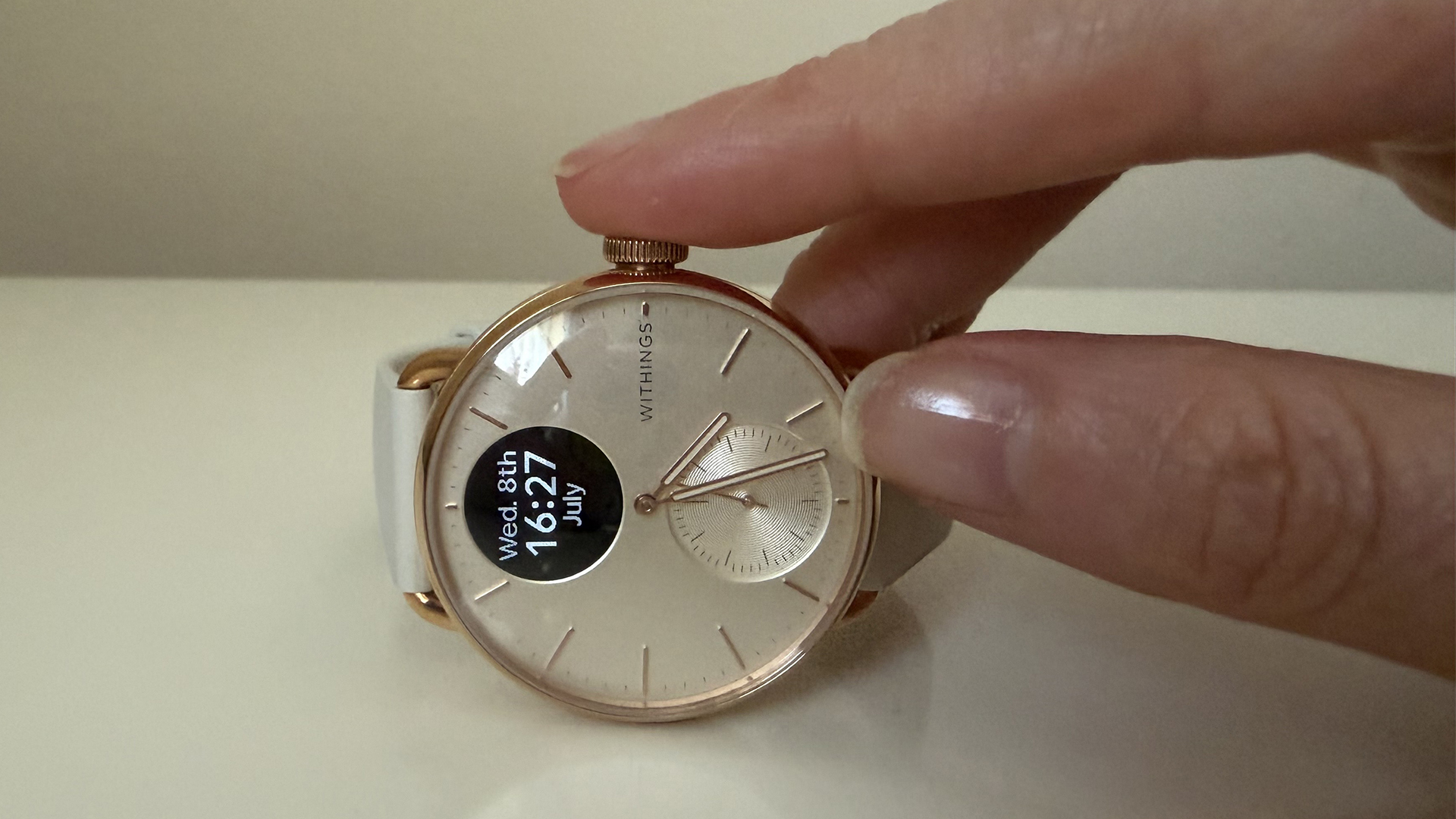
Made from Sapphire glass and a stainless steel case with an FKM (fluoroelastomer), the ScanWatch 2 feels durable (and perhaps a little bulky — I'll get into that now). It's also swimproof.
The disadvantage of this hybrid design is that the ScanWatch is cumbersome in comparison to lightweight trackers such as the FitBit Air. It's particularly notable when sleeping — I wear my watch on my left wrist which is the side I gravitate towards in sleep. As a result, it often takes some readjustment to ensure my watch isn’t pressing into me.
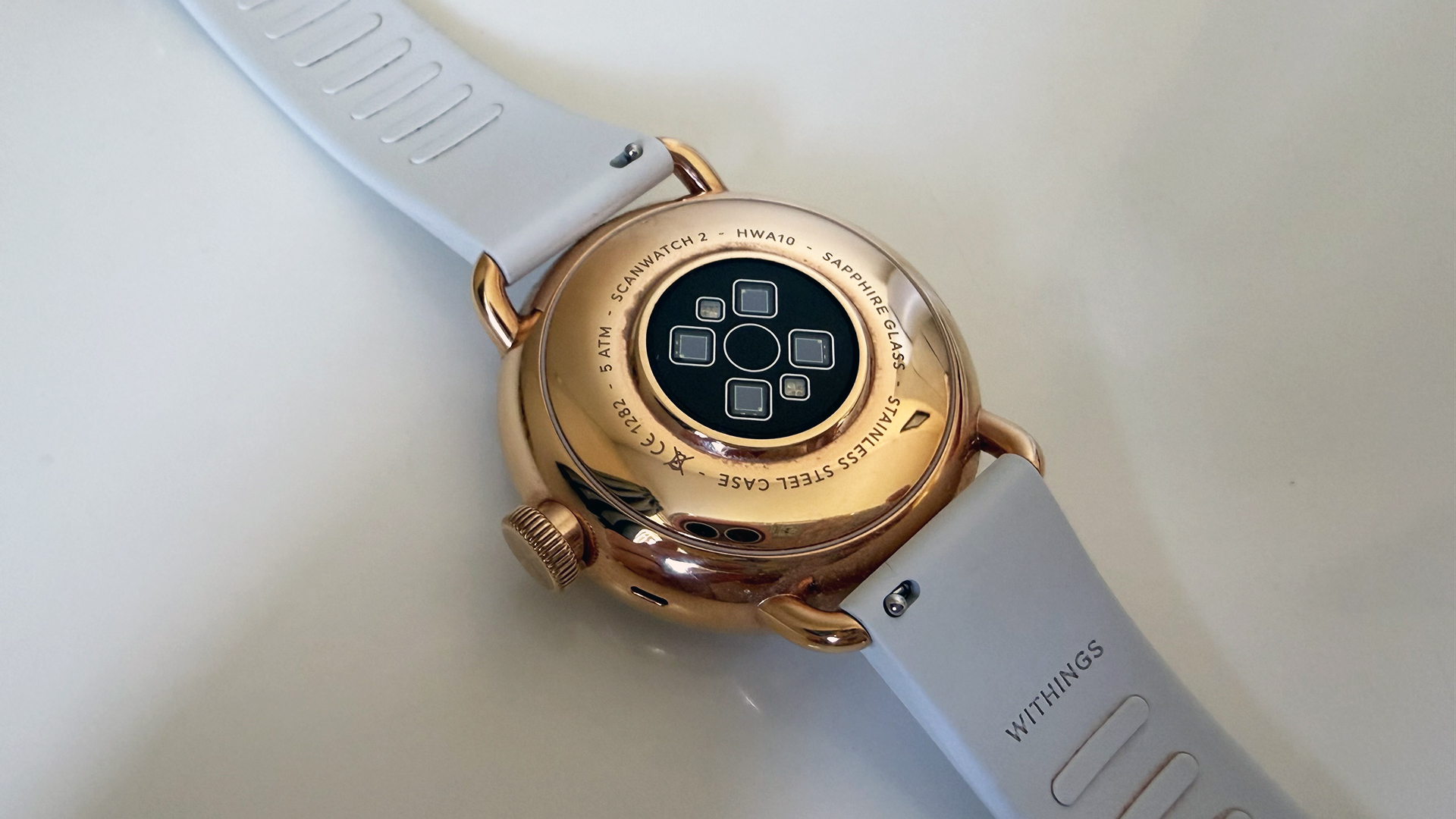
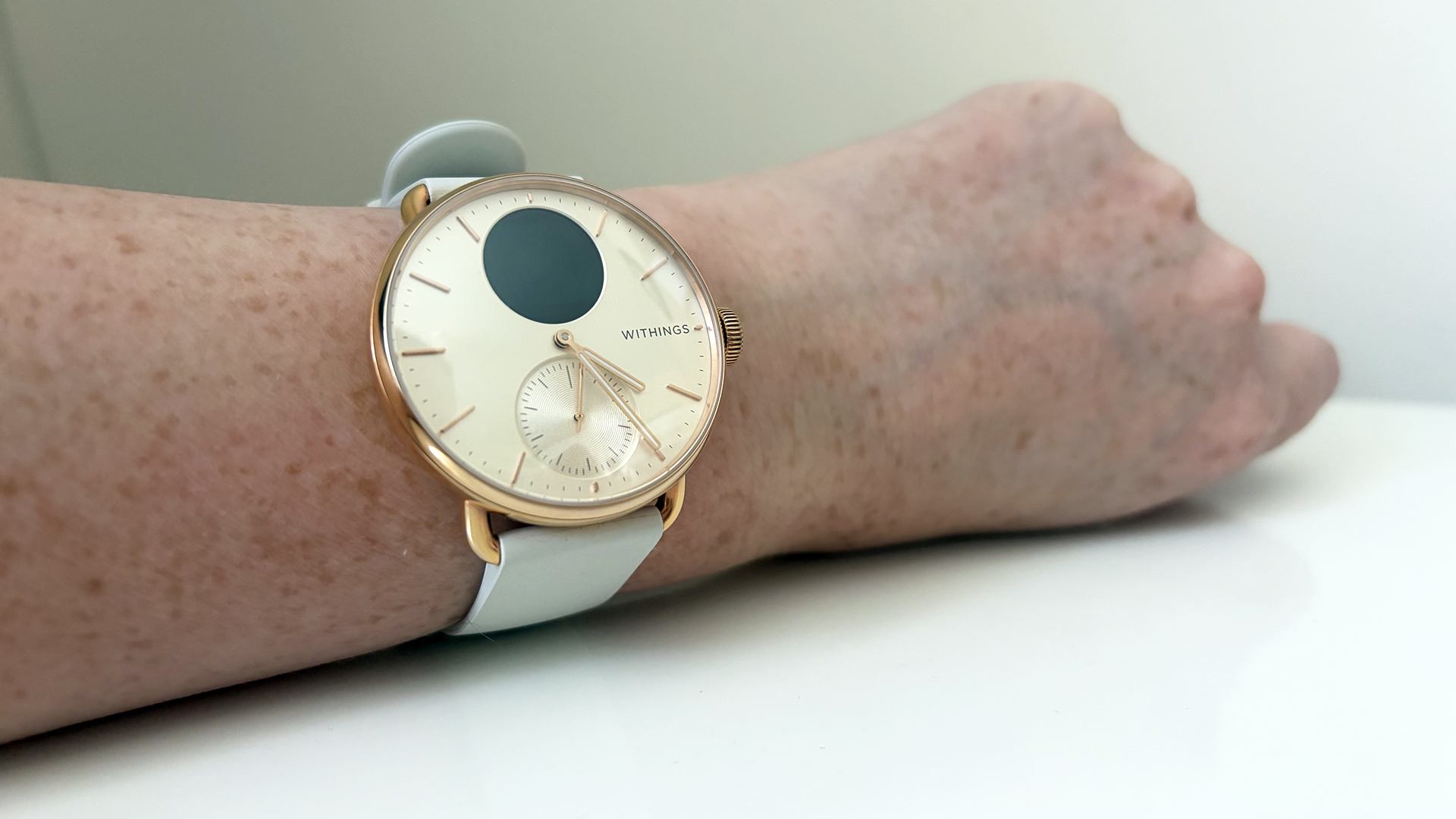
However, it’s not much bulkier than the Apple Watch 11 or the Garmin Forerunner, which both prioritize plenty of tech over a streamlined design.
There's also less data available on the screen, although that does mean it's less distracting than other smartwatches. It's a matter of preference; if you want a traditional look with at-a-glance data, the ScanWatch 2 has you covered.
Withings ScanWatch 2: Sleep tracking
The Withings ScanWatch 2 tracks a variety of metrics to deliver a sleep score summing up your night. This includes duration (time in bed and time asleep), sleep stage, heart rate, and HRV (heart rate variability).
I compared the sleep metrics collected by my Withings ScanWatch to the data from my Muse S Athena headband and, bar a few minor differences in sleep and wake time, the results largely matched. My heart rate metrics are also comparable.
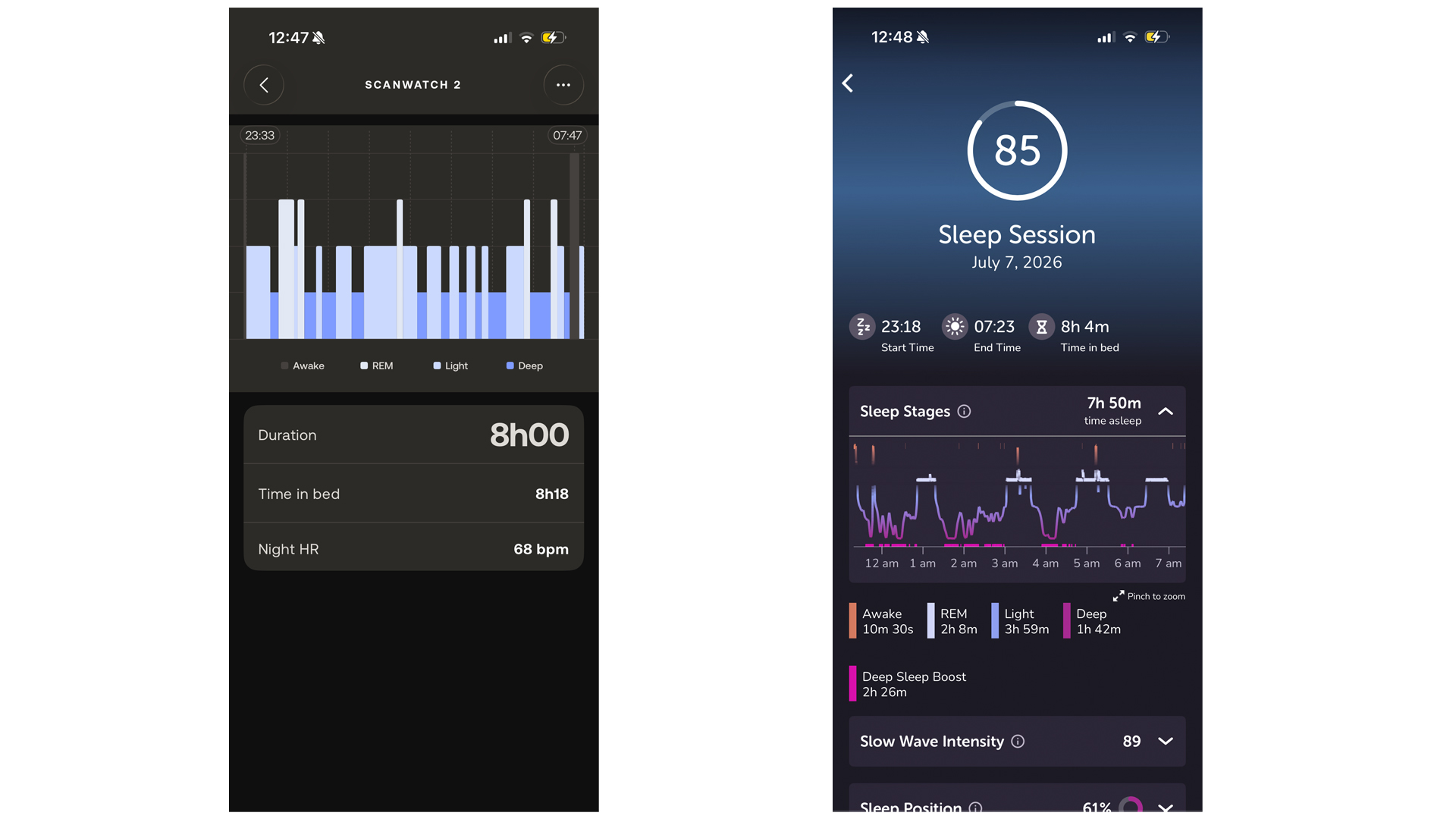
However, the ScanWatch 2 has a tendency to miss minor interruptions, attributing them instead to light sleep. For example, in data from July 7th my Muse S Athena noted a wake up at 5.17 a.m., which my ScanWatch didn’t. I know for certain I was awake at this point because I checked the time... but I did fall asleep again quickly.
The ScanWatch can also confuse moments of stillness for sleep. (See my ‘nap’ at 7.40 a.m. which was definitely just me scrolling through my phone.) However, I’ve found it’s more accurate than Withings’s dedicated Sleep tracker for determining when I’m actively trying to sleep — the Withings Sleep Mat tends to mistake ‘reading in bed’ with ‘lying awake’.
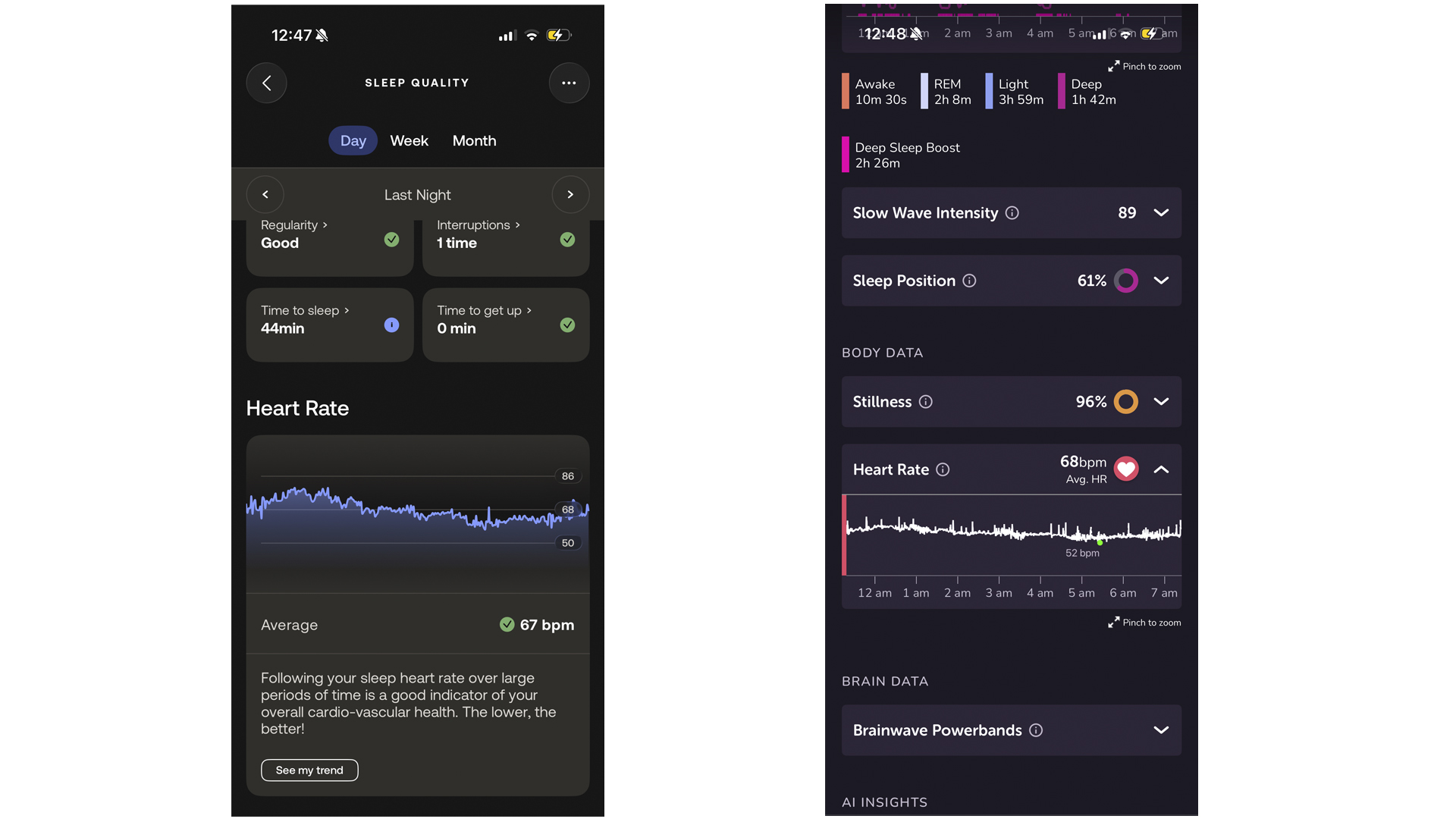
The ScanWatch 2 has a few more advantages over the Sleep Mat (also from Withings). For a start, it’s portable which means I can track consistently even when traveling. It also collects health data that’s not directly related to hours in bed but nonetheless influences your rest (such as temperature, activity levels, and menstrual cycle).
However, for accurate and detailed sleep tracking, both the Withings Sleep Mat and the Muse S Athena come out on top. The ScanWatch provides an excellent overview but can miss the finer details. Not to mention, the bulky design means that on some particularly restless nights, I've had to take it off around 3 a.m.
Withings ScanWatch 2: Health and fitness tracking
Despite the streamlined display and the analog design, the ScanWatch 2 is packed with some high tech health tracking features, including a step tracker, heart rate monitor and SpO2 tracker. A lot of this tech is accessible subscription free, which is a bonus for a health tracker (for example, much of Whoop’s tracking features are premium access).
I use it primarily to track my steps (I’m a walker), although you can also log swimming, running, cycling and ‘other’. I have the dial on the watch face set to log my steps as I go, with a vibration and notification when I hit 10,000. It’s a useful feature to stay on top of your fitness without having it glaring in your face (overall, the ScanWatch excels at subtlety).
In terms of accuracy, both the step counter and temperature tracker have impressed me with their accuracy, although some steps do appear to be overlooked (I count more steps quietly padding around my living room than the ScanWatch acknowledges). From this, I assume data such as SpO2 monitoring is accurate, although I don’t have clinical results to compare to.
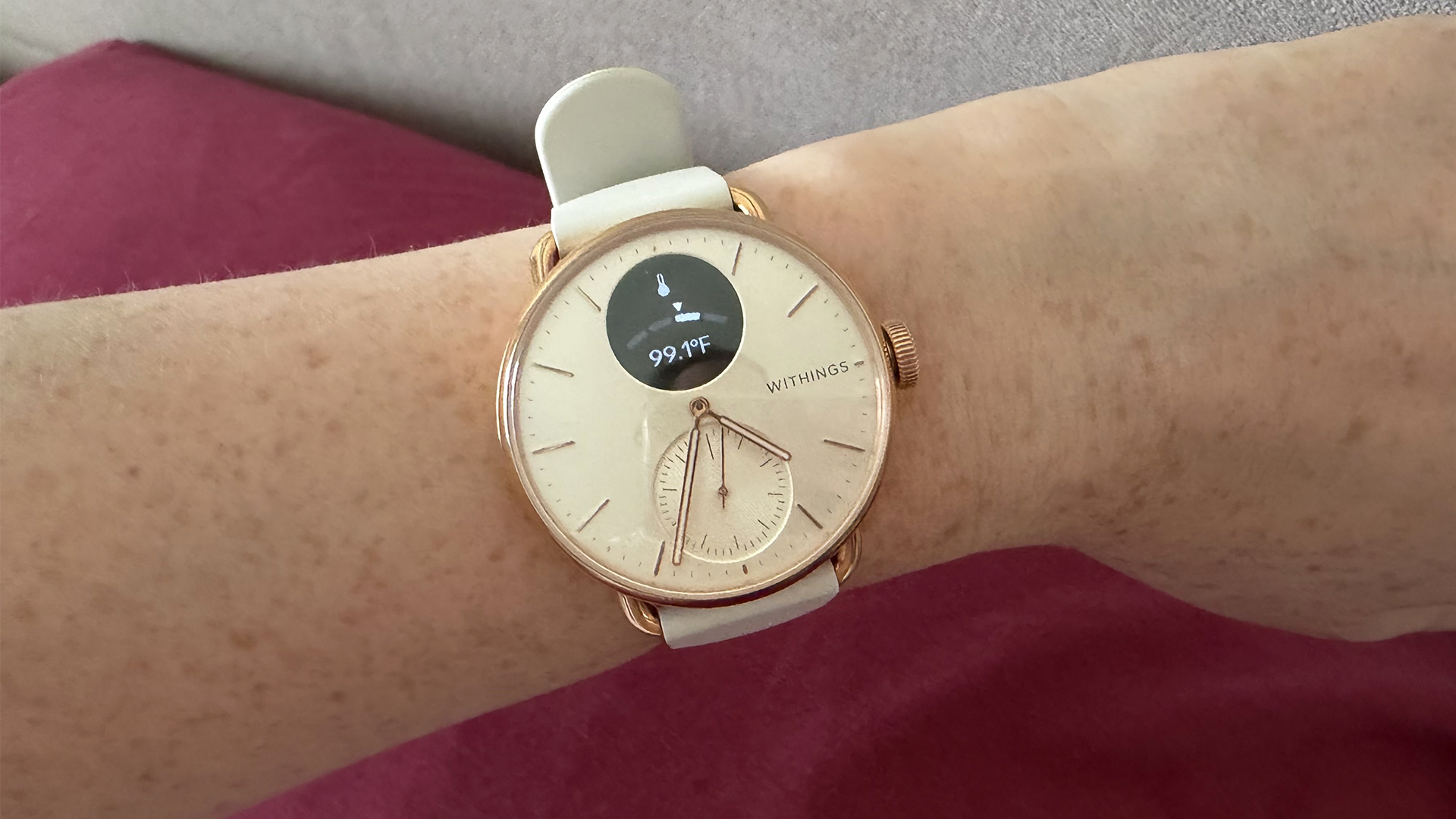
There’s two more additional features I’d like to call attention to. First, the ‘breathe’ app. This is displayed on the watch face and guides you through simple breathing exercises. I’ve found it useful both before bed and on-the-go.
Second, temperature tracking. Overnight temperature readings helped me see a clear link between warm weather and disrupted sleep (and it works with the menstrual tracking feature to predict periods). It's just a shame that the bulky design means on hot nights I tend to take the watch off midway through the night, because it's too stuffy.
While the ScanWatch has impressed me with its accuracy, for free users, it delivers little in the way of analysis — you need to upgrade to the Withings+ app for that.
Withings ScanWatch 2: Performance
Set up
The ScanWatch 2 is incredibly easy to set up. Connecting to your phone via Bluetooth, you’re guided through the best way to wear the ScanWatch, proper usage including setting your fitness goal (measured by the watch face dial) and even sets the time for you.
Scrolling through the data with the crown isn’t the easiest method to access information but that’s a natural downside of this type of design. And, once you’re familiar with the order of the menu, things do speed up.
App
The Withings App stores data from all your collected Withings devices and so for those dedicated to the brand, it can store a lot of metrics. Mine has access to my ScanWatch and my Sleep Mat, and I highly recommend editing the home screen to ensure your preferred metrics are displayed first — I used to scroll past all kinds of data to access my sleep score.
In the app, you can access all the data collected from your ScanWatch displayed in charts and graphs. Overall, I’ve found these easy to scroll through and to understand, with data clearly displayed (I particularly enjoy the sleep tracking analytics, which provide a thorough overview with just a quick glance).
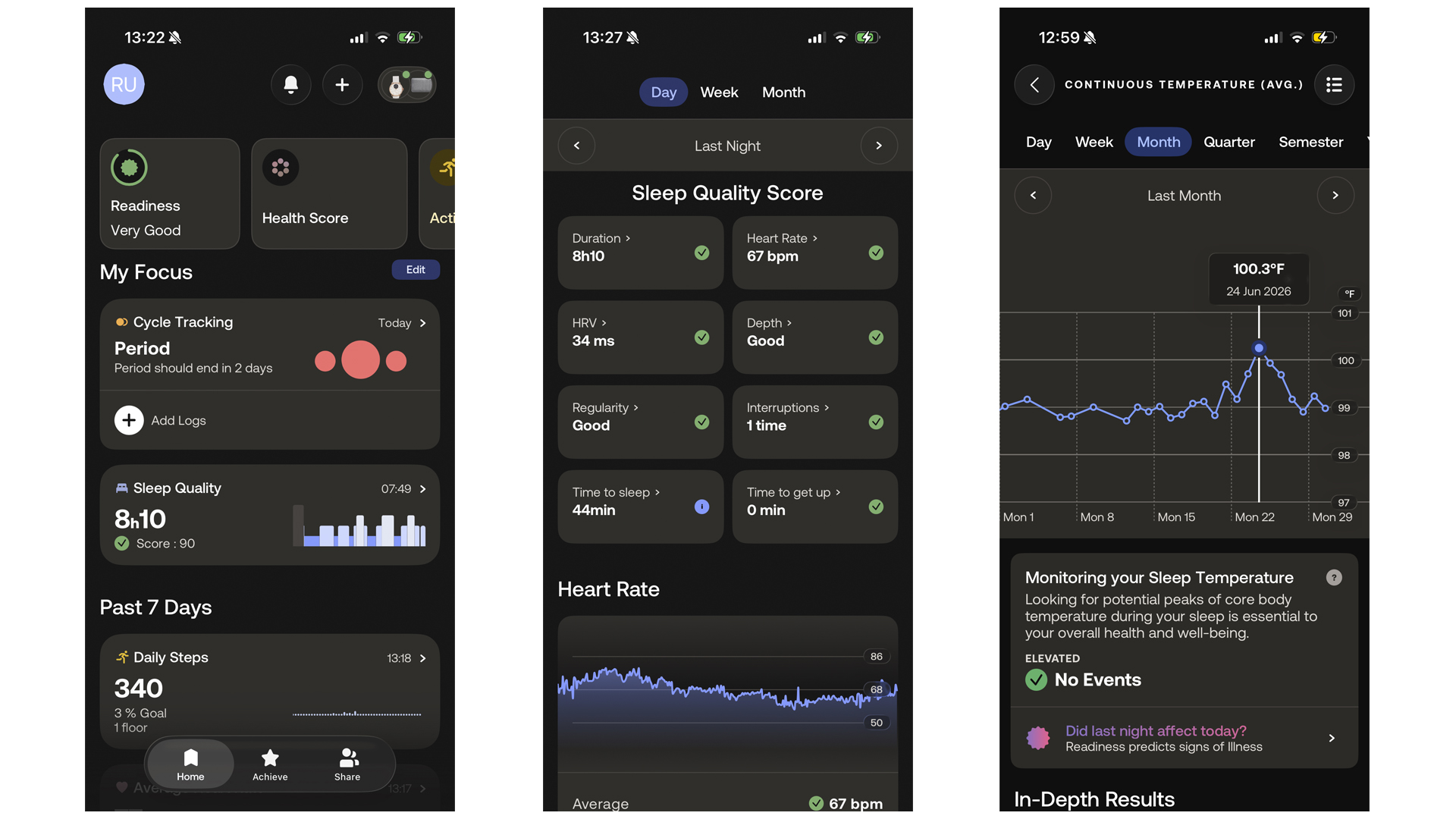
You can also generate health reports in the app, drawing together data into a handy PDF you can send to your doctor.
For this review, I used the free Withings app, which I found helpful enough. For ‘health improvement scores’, you’ll need to upgrade to Withings+. This will give you access to AI insights and personalized care; useful for those looking to improve an aspect of health, rather than simply monitor.
Battery life
Withings claims the ScanWatch 2 has 35 days of battery life. Based on my experience, that’s accurate: I started wearing mine on April 23rd and by July 3rd, I’d only charged it twice. Those who favor referring to the watch screen over the app are likely to find the battery drains quicker but for moderate usage, you can get at least a month of wear before charging becomes necessary.
Withings ScanWatch also claims a “2 hour” charge time. Again, this seems accurate. On my last charge, I noted I had 15% battery life at 10.04 a.m. — by 11.04 a.m., I was up to 90%.
You do need to take the ScanWatch off to charge it, so quick juice is necessary to avoid missing out on data. It also has a non-standard charger which is $24.95 to replace, so during those 35 days you don’t need it, keep it in a secure place.
Withings ScanWatch 2: Should you buy?
Buy the Withings ScanWatch 2 if:
✅You want a classic watch design: The ScanWatch 2 is an excellent blend of form and functionality, pairing a classic analog watch design with a subtle display and a handy dial. The result is a sleep tracker that doesn’t look like a sleep tracker.
✅You’re looking for all-round health tracking: Withings’s free access app collects sleep data, heart rate, activity levels, temperature and more to give a reliable and accurate overview of your health. It’s a lot of info that’s easy to access.
✅You rarely find time to charge your devices: The ScanWatch 2 has a maximum battery life of 35 days and can fully charge in just two hours. That means minimal time off the wrist (and losing precious data) plus with careful planning, you can travel without a charger.
Don't buy the Withings ScanWatch 2 if...
❌ You won’t action, not just oversight: You’ll need to upgrade to the Withings+ if you want to turn your data into action with the help of AI intelligence and professional advice,
❌ You want a sleek wearable: The ScanWatch 2 has a classic watch design but the downside is it’s a bulkier wearable. The FitBit Air has a much slimmer profile while the Oura Ring is the closest you’ll get to invisible sleep tracking.
❌ You want top-class sleep data: While the ScanWatch 2 provides a decent insight into your sleep, Withings has another device that’s better suited to track your rest: the Sleep Mat.
Withings ScanWatch 2: Alternatives
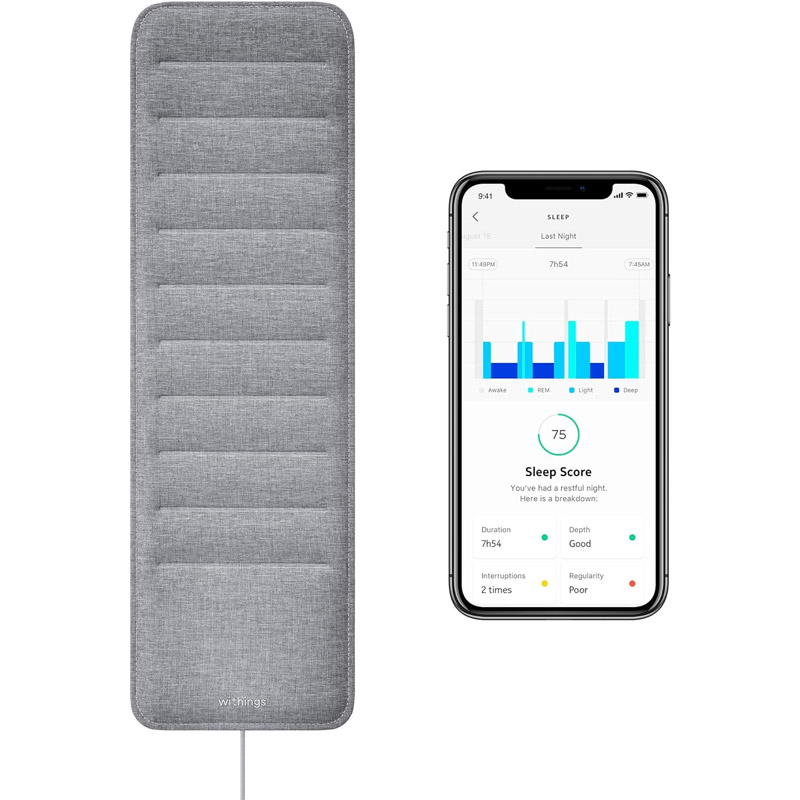
From the brand behind the ScanWatch the Sleep analyzer mat is for those who want detailed sleep tracking data. Also, as an under-the-mattress sleep tracker, you won't even know it's there. Cheaper than the ScanWatch 2 at $199.95, it's less well-rounded but better at accurate sleep tracking.
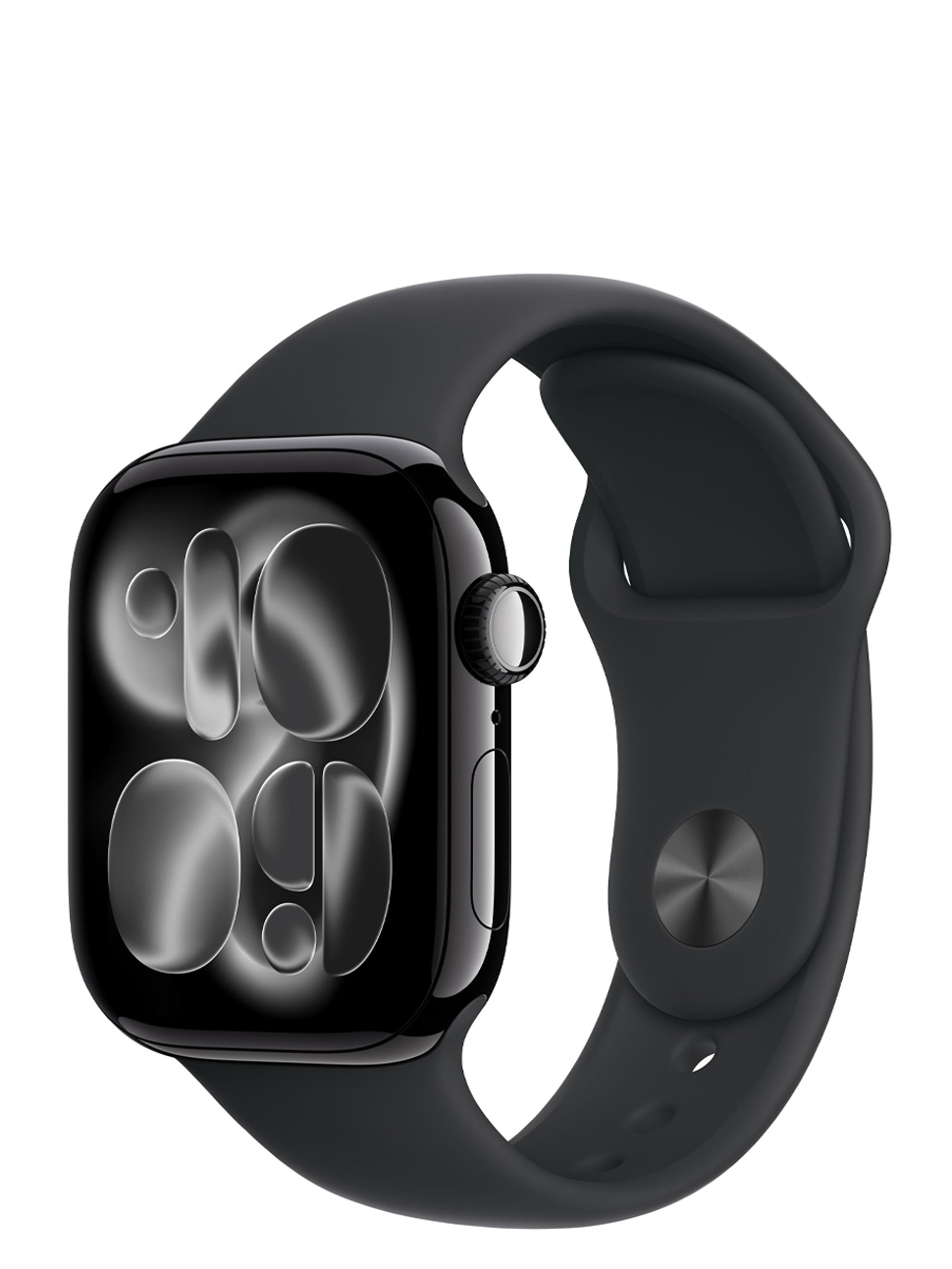
With detailed sleep tracking (plus sleep apnea detection) as well as impressive health and fitness tracking, the Apple Watch 11 a strong all-rounder. It lacks the exceptional battery life and chic design of the ScanWatch 2 but on the other hand, the large display is better for reading data.
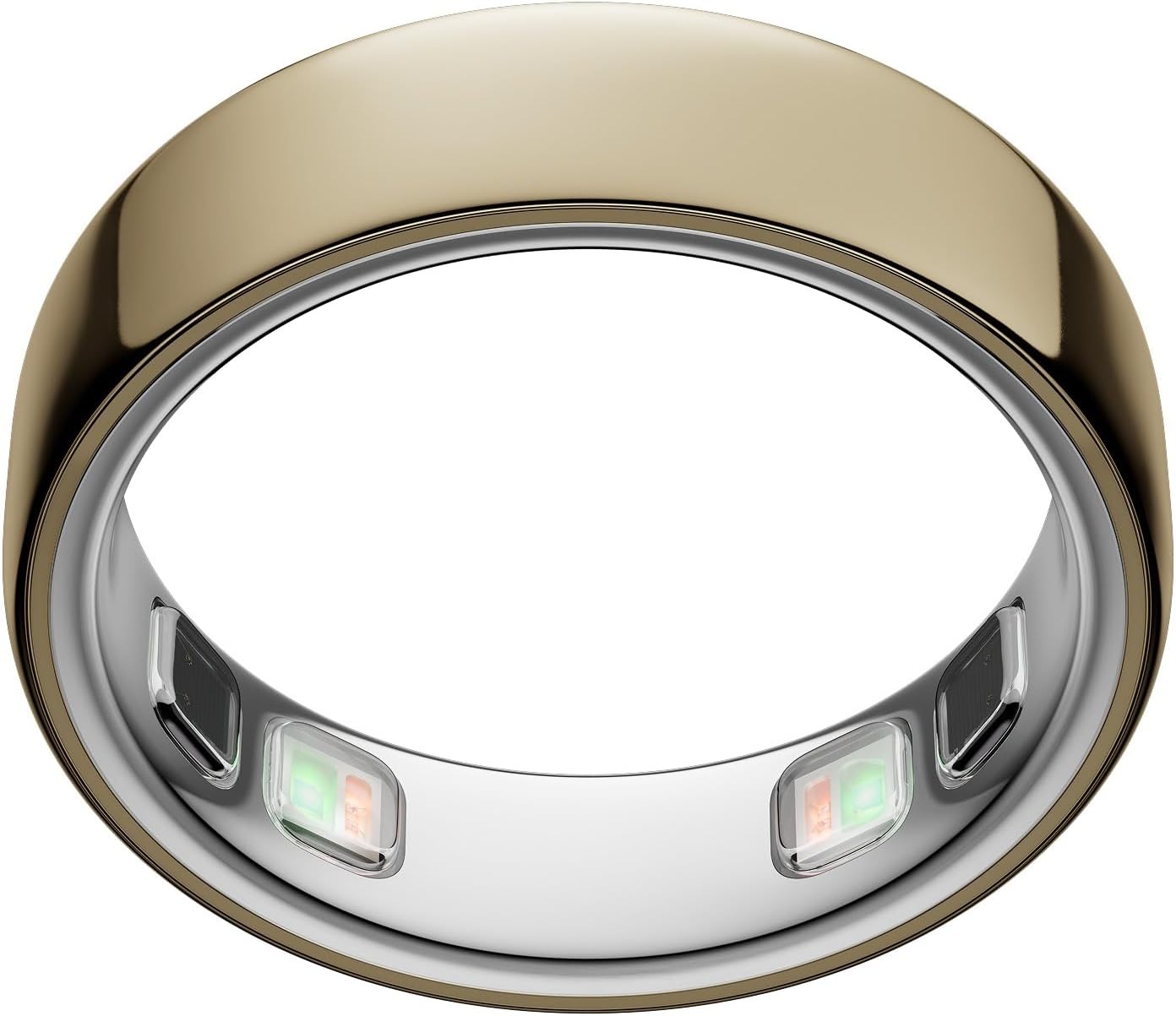
If you're eyeing up the ScanWatch 2, there's a good chance you want a fitness tracker that doesn't look like a fitness tracker. Enter the Oura Ring 5: small, sleek and discreet, it sits on your finger to take detailed health data. At $399 it's similarly priced to the ScanWatch 2 but even more unobtrusive.
This is a preview from the original publisher. Continue reading at the source:
Read Full Article on tomsguide.com →