

I built five ChatGPT agents — then replaced them with one 'master' AI
Like a lot of people who use AI every day, my ChatGPT sidebar had become crowded. I have a custom GPT for just about everything from fact-checking to dedicated brainstorming sessions and messy notes. And while each one is useful, together they are a problem.
Every single new task starts with another new decision as I wonder if I should open research GPT first or jump straight into writing and come back for editing? And then there's always the question of "Wait, didn't I already design this assistant a few months ago?"
In other words, my GPTs were chaotic and I knew I wasn't being as productive as I could be. So instead of creating another specialist, I tried something different. I built one AI whose only job is deciding which AI should handle the task.
Surprisingly, it has become the most useful assistant in my workflow.
Why I stopped thinking about AI as one chatbot
Most people still use AI as though it's a single assistant that should be good at everything, but users are finally catching on that there is a better way. AI models can handle many types of tasks and jobs reasonably well, but I've found they perform better when each assistant has one clear responsibility.
With any productive team, everyone has a specialty. That's why I decided my AI should work the same way. So I built five specialist agents.
Here's the team I originally built:
- Research Agent. Finds reliable sources, identifies missing context and suggests follow-up questions before I begin writing.
- Brainstorm Agent. Similar to a research agent, this one takes my messy notes and turns them into bullet points with viable ideas.
- Fact-check Agent. Flags unsupported claims, reminds me where citations are needed and looks for weak sourcing.
- Editor Agent. Improves readability, removes repetition and smooths awkward transitions before publication.
- Review Agent. Takes a look at traffic, follow up possibilities and engagement.
I've built agents that work for me as a journalist, but you could create your own depending on your needs or career. If you aren't sure what types of agents to create, just thinking about what your ongoing needs are and how they aren't being met. You could even ask ChatGPT to suggest agents for you.
Routing agents have changed everything for me. Instead of asking myself which GPT to open, I now start every project with one assistant.
Its only responsibility is deciding what happens next.
For example, if I tell it: "I'm considering writing about [i.e. Apple Intelligence] but don't have quotes or much information yet."
It will automatically respond with the best agent for the job. It also knows when not to suggest an agent. For example, it's not going to suggest a Fact-check agent if I'm rewriting an email in a softer tone to my neighbor who borrowed my lawn mower.
If I'm brainstorming ideas, it may suggest Research agent after our brainstorming session. Instead of forcing me to remember my workflow, it creates one automatically. That small change has made me far more productive than I expected.
How to build your own routing agent
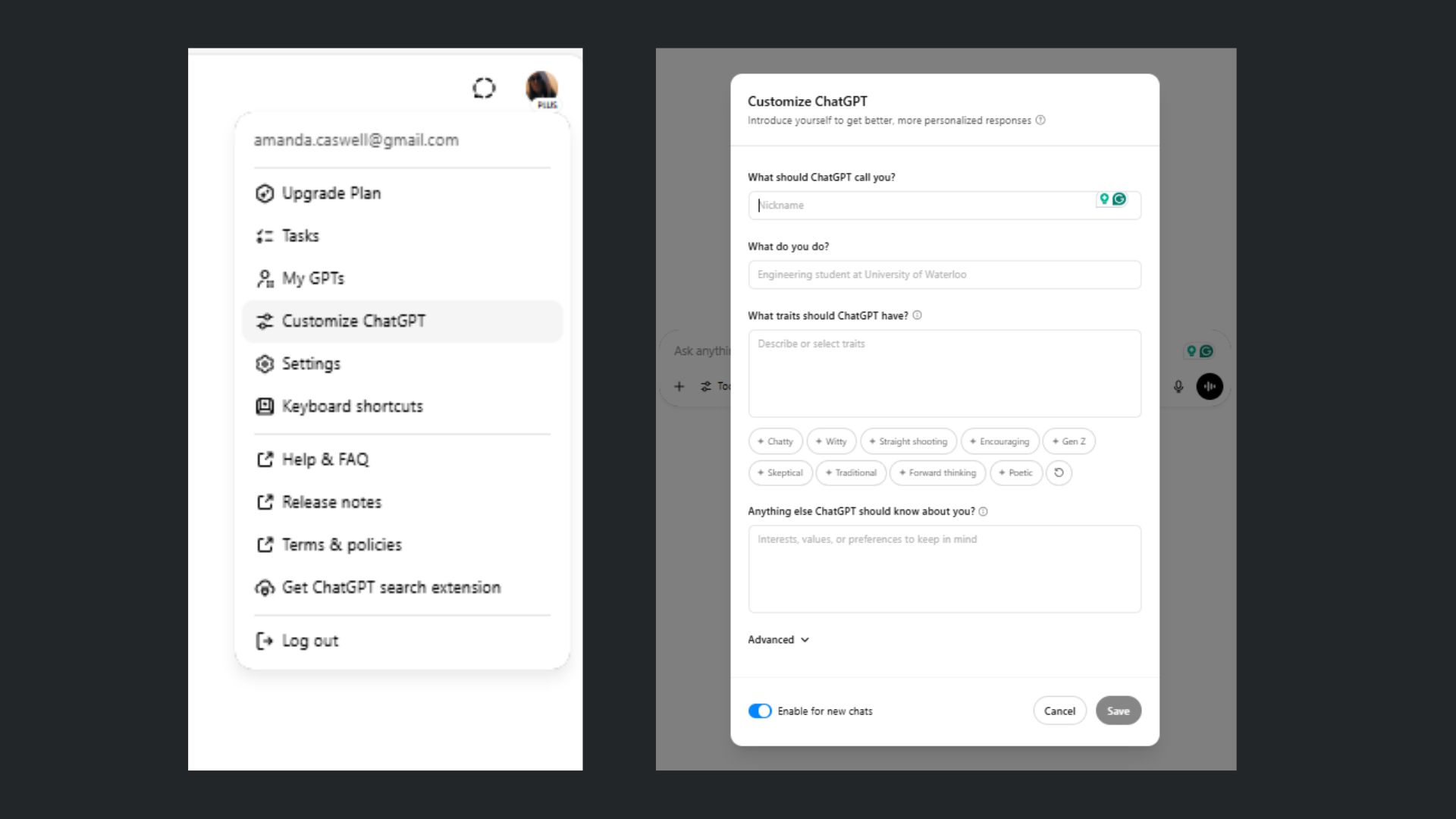
Start by creating specialist assistants. Do you this by identifying the three to five tasks you repeat most often. For example: analyzing, summarizing, brainstorming, writing, image generation.
Then, create one Custom GPT (or Project) for each job. The more focused each assistant is, the better they'll perform.
Next, build one routing agent. You'll do this by creating an additional Custom GPT.
The prompt I use is: "You are my AI Routing Agent. Whenever I describe a task, identify my goal, decide which specialist agent should complete it, recommend the best sequence if multiple agents are needed and explain your reasoning briefly. If important information is missing, ask clarifying questions before continuing."
From there, give it a decision framework. Mine evaluates every request using five questions: What is the user's goal? Which specialist is best suited to this task? Should more than one specialist be involved? In what order should they work? Is any information missing before work begins?
That keeps every project consistent. You're going to want to start every project with the routing agent. So, instead of opening whichever GPT seems right, begin with your routing assistant. Then, just naturally describe your task and watch it reccomend the workflow.
You'll spend less time managing your AI tools and more time actually getting work done. Plus, as you discover repetitive tasks, add new specialists. Over time, you might create assistants for SEO optimization, social media posts, coding, spreadsheet analysis, email drafting, etc.
The routing agent simply learns about the new specialist and incorporates it into future workflows.
Why this works
This idea is actually the foundation of Sakana — but that AI assistant goes even further by suggesting different chatbot models. What I like about my system is that it still keeps the agents within the same platform. It works just as well with ChatGPT agents as it does with Claude.
If I create a new specialist later, such as an image generation or social media agent, I won't have to remember when to use it. I simply teach my routing agent that the new specialist exists, and it can recommend it whenever it's appropriate. Over time, the system becomes smarter without becoming more complicated.
Give it a try yourself and let me know what you think in the comments.
Follow Amanda Caswell and stay ahead of the AI curve
More from Tom's Guide
This is a preview from the original publisher. Continue reading at the source:
Read Full Article on tomsguide.com →