

Does your Mac need new buttons? Great news — the Dune keypad offers just that
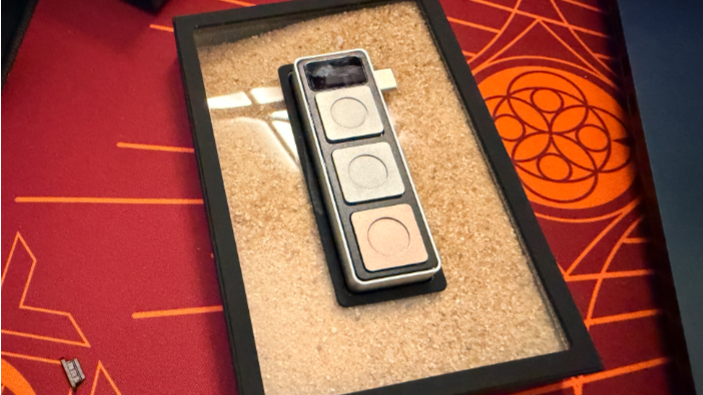
Remember when devices were trying to get rid of buttons, and now more and more companies are working to add AI-centric ones? Step forward, Aina, a company offering something a little unique.
Its new keypad, Dune, is essentially a small macro pad you can throw in a bag to take on the go with your MacBook. And while I wasn’t sure I needed a context-specific series of buttons attached to my Mac, I couldn’t believe how intuitive it was.
Get work Dune
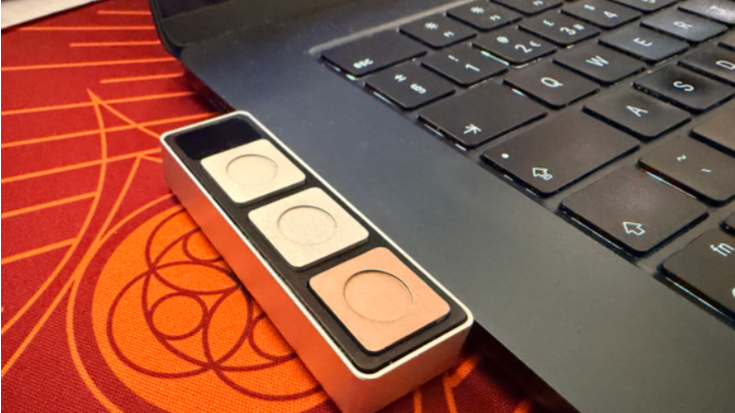
Dune is a small three-key keypad that plugs into your MacBook’s USB-C port on the left-hand side, with three colored, metal buttons, a solid shell that feels built to last, and a very welcome rubberized base to avoid scratching desks and tables.
Above the buttons is a window showing an LED inside, and my only gripe is that being able to look inside and see some of the circuitry feels like it goes against the rest of the design inspiration here - everything is so clean and fine-tuned that it feels as though the light that goes on when you press a button was a little bit of an afterthought.
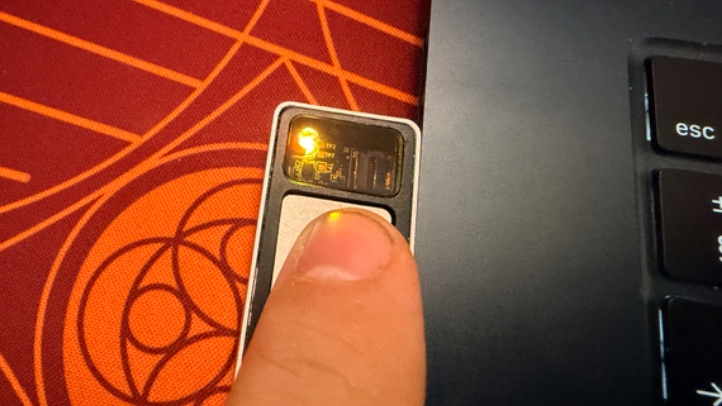
Still, that’s genuinely my only nitpick here with the design. I have the Midnight MacBook Air (still rocking an M3 chip), and the paint chips like nobody’s business. As a result, I was worried about having an additional metal chassis potentially locked alongside it, but the Dune sits beautifully, with no wiggle from the USB-C port.
So what does Dune do?
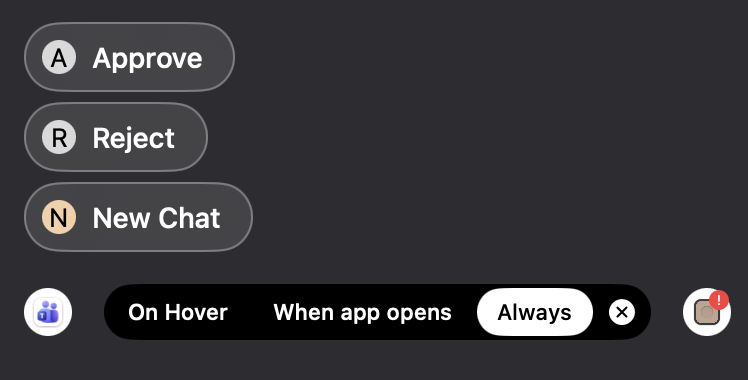
Here’s the fun part: Dune basically does anything you need it to. During the setup process, you can flag some key apps you use day-to-day. For my sins, mine include Teams, and Dune instantly offered some useful shortcuts attached to the hardware buttons, all displayed in the bottom-left corner.
Muting my mic, turning off the camera with a single touch, or simply bringing the meeting to the front of my active windows are all things I have to do regularly, so having the option to hit a clearly defined button for that is ideal.
Hitting a button to bring up a fresh Claude chat and using the other two buttons to instantly “yay” or “nay” its responses speeds things up by a few seconds each day, which soon adds up across a week, a month, or a year.
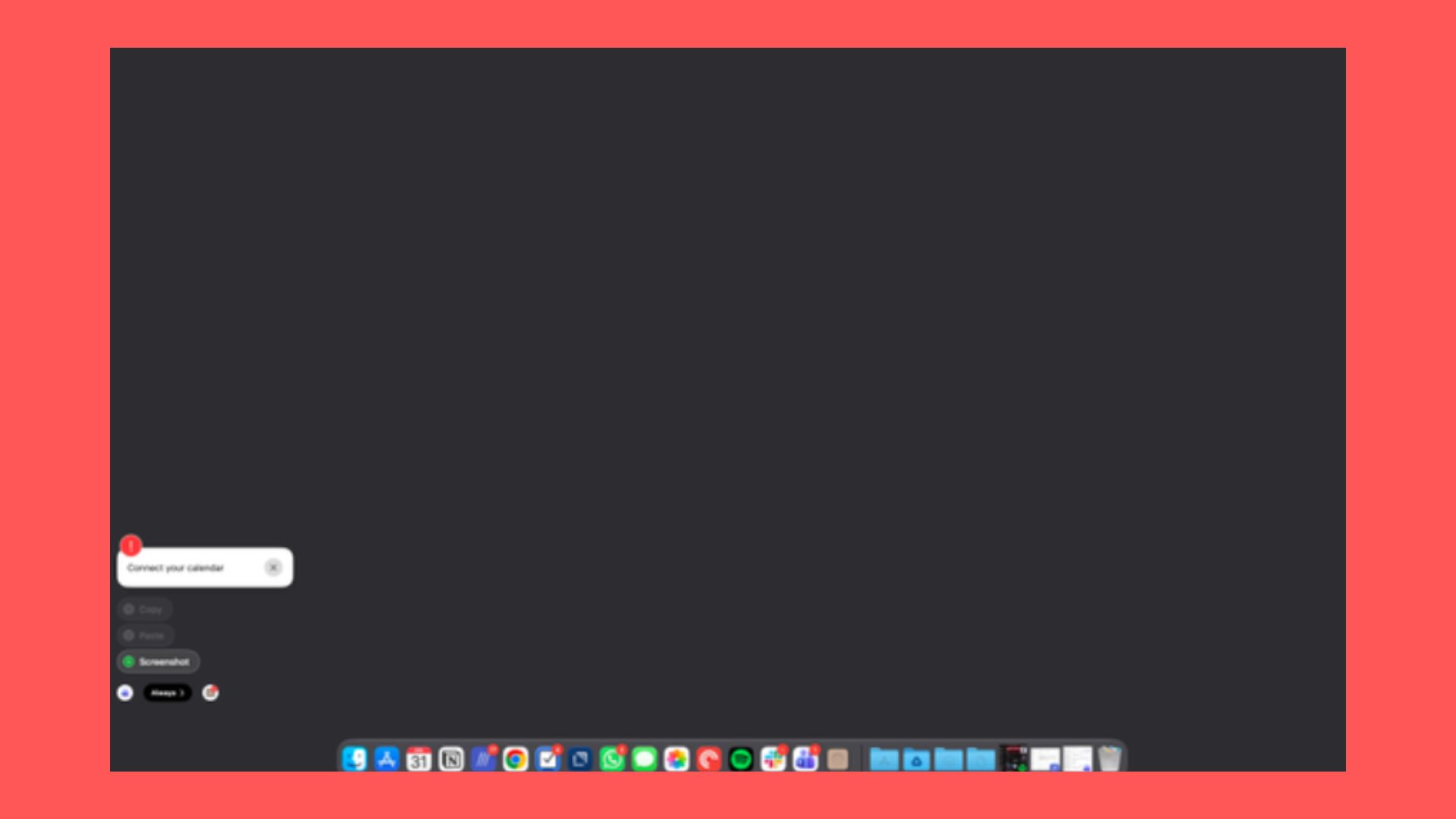
Dune also cycles its context-specific commands depending on your active window, so pressing the buttons becomes muscle memory.
At present, the in-app marketplace is still being populated, but there are some solid options already. Being able to open your Mac’s clipboard, or instantly send a screenshot to Claude or update a Slack status are very useful, and I’m excited to see how things pan out from the perspective of power users getting their hands on Dune.
Sticking with Claude, however, it’s clear this is where Dune’s real appeal lies. In fact, you can build your own workflows for Dune using Claude, be those scripts, app-specific contextual actions, and more. Will you get the same joy from another AI app? It’s hard to say, but if you already have Claude, this is a genuinely intuitive way to build a better Mac.
A curio, or a must-have?
There are some considerations, of course. For one, if your Mac is docked while you work, then a more traditional macro pad is likely to be more useful. For another, you’ll need a USB-C port free to be able to use Dune.
And yet, I can see myself packing it for every trip where I’m just taking the laptop and don’t need to plug into a variety of other peripherals.
For something that must’ve required plenty of thought, it somehow feels so simple to use. Muting meetings, triggering agentic AI, or just having a place to run a shortcut without trying to remember the keyboard combo I set up years ago is genuinely useful.
Now that I’ve used Dune, I’m very keen to see where it goes from here and how it evolves. As someone who uses a Stream Deck but doesn’t take it on the go, I’m happy to have an alternative that’s much more portable, and that leans nicely into agentic AI.
More from Tom's Guide
This is a preview from the original publisher. Continue reading at the source:
Read Full Article on tomsguide.com →