

5 apps anyone over 50 can build with AI — no coding skills needed

I still remember the advertisements when the Apple App store first rolled out. In between segments on 60 Minutes or the drama on Prison Break, the commercials would convince viewers that anything you needed, "there's an app for that."
Now, when I need an app that doesn't suit me, I just create one myself. I'm definitely not skilled in programming languages like Python or Java, I just know how to vibe code. And here's the thing, you can, too!
Today's AI chatbots can create simple apps from a description written in plain English. The process, often called "AI-powered coding" or "vibe coding," lets you explain what you want while the AI writes the code behind the scenes.
You don't have to become a programmer. You just need an idea. So, whether you're trying to better organize your finances or keep track of medications, here are five genuinely useful app ideas to get you started. Just open Claude, Gemini or ChatGPT and enter the following prompts. I prefer Claude for coding, so all of these examples have been made using it.
1. Build a medication tracker that actually fits your routine
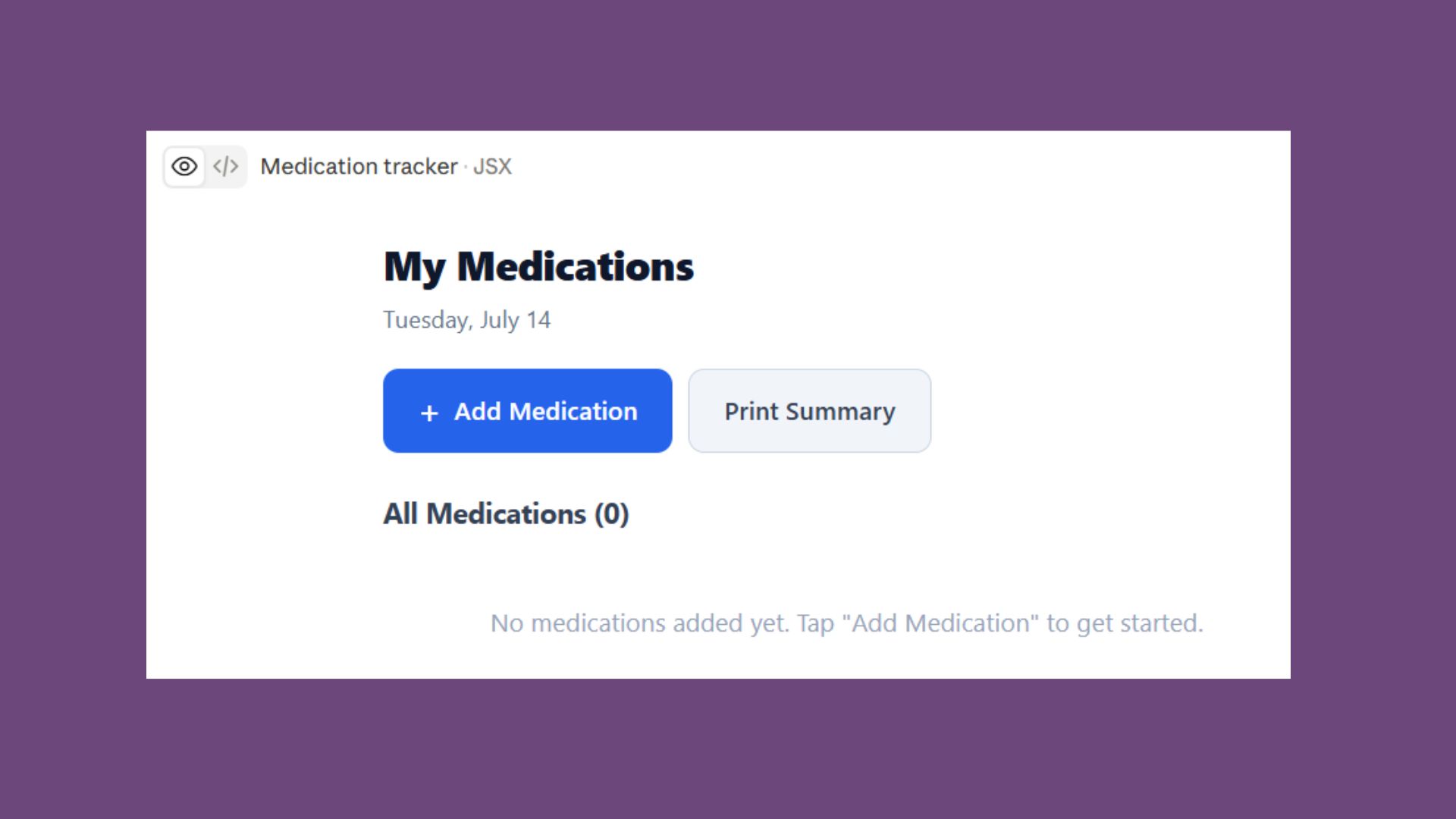
Most reminder apps are designed for everyone. AI can build one that's designed for you. Maybe you take prescriptions at different times each day, need refill reminders, or want to track side effects. Instead of forcing yourself into someone else's system, you can create one that matches your schedule.
This app is fairly simple. But it works right in the platform and it's something you can go to several times a day depending on your medication regimen. You could also create something that reminds you to drink water, eat meals or exercise. Just be sure to follow your doctor's recommendations. AI is not a substitute for a human doctor.
Prompt: Build me a clean, easy-to-use medication tracker that runs in a web browser. I want to add medications, dosage amounts, times of day, refill dates and optional notes. Include reminders that highlight medications due today, a refill countdown, and a printable summary. Make the interface simple with large buttons and easy-to-read text.
2. Create a home inventory before you need it
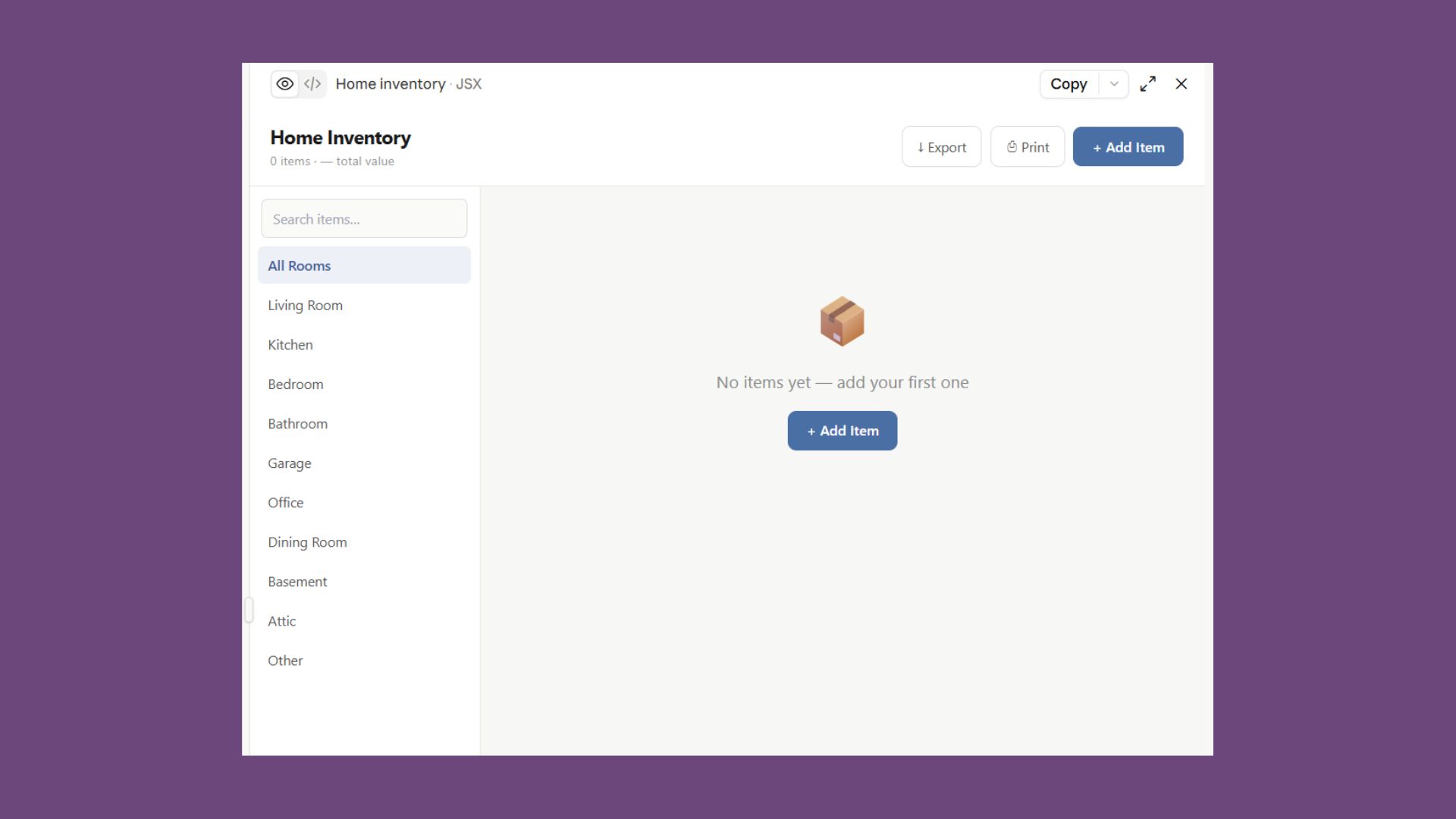
If you've ever had to file an insurance claim, you know how difficult it can be to remember everything you own. A custom inventory app lets you photograph items, record serial numbers, upload receipts and search everything in one place. It's also great for moving homes or downsizing.
This app breaks the inventory down by room, which is great for staying organized. You could tweak this prompt to work for organizing one room at a time or even certain aspects of a room such as books and CDs or DVDs.
Prompt: Create a home inventory web app. I want categories for each room, the ability to upload photos, record purchase dates, estimated values, serial numbers and warranty information. Include search, printable reports and an export option. Make it simple enough that anyone can use it.
3. Build a retirement budget planner
I am not a spreadsheet person. I find them extremely useful, but building them feels like busy work. And while generic spreadsheets can be useful, most of them barely match my own financial situation.
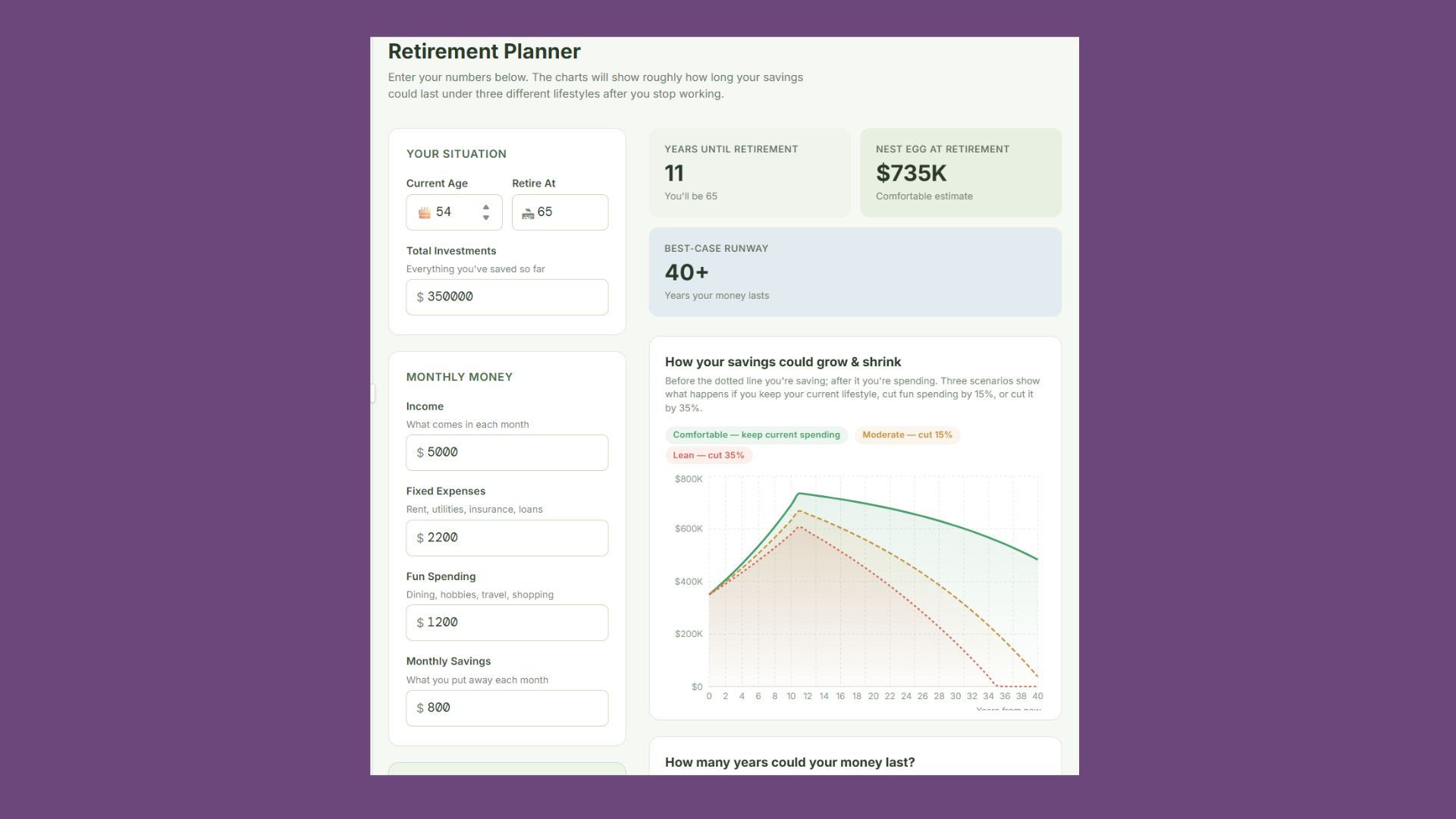
That's why I prefer turning to AI to stay organized. Claude or ChatGPT can create a calculator that reflects your income, expenses, pensions, Social Security estimates or travel plans.
Just as AI is not a substitute for a human doctor, it's also not a real financial advisor. This app should be used as a guide and not as the real deal.
Prompt: Build a retirement planning dashboard. Let me enter monthly income, fixed expenses, discretionary spending, savings goals and investment balances. Show charts that estimate how long my savings may last under different spending scenarios. Use clear graphs and plain language instead of financial jargon.
4. Turn family recipes into your own searchable cookbook
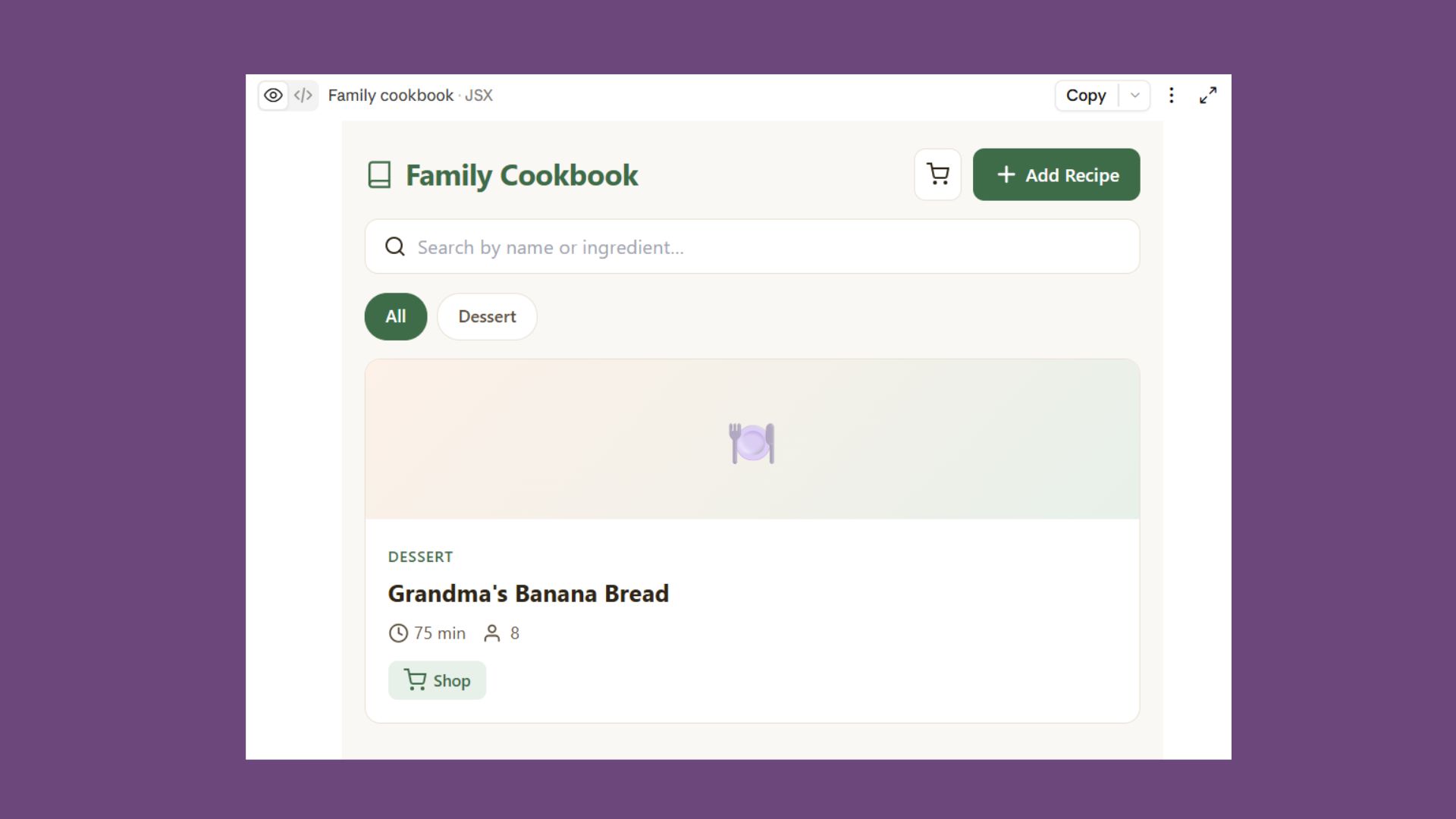
Recipe apps are full of advertisements and random suggestions. Sometimes I have to read four paragraphs before the recipe even appears! Plus, with so many of my grandmother's recipes, I chose to build an app that offers me only my family's favorites.
I love this one because it makes adding recipes from friends and neighbors easy.
Prompt: Create a digital cookbook where I can add recipes, upload photos, organize recipes into categories, search by ingredient and generate a shopping list. Include family notes, cooking tips and preparation times. Design it with large text and an uncluttered layout.
5. Create a travel planner for your next vacation
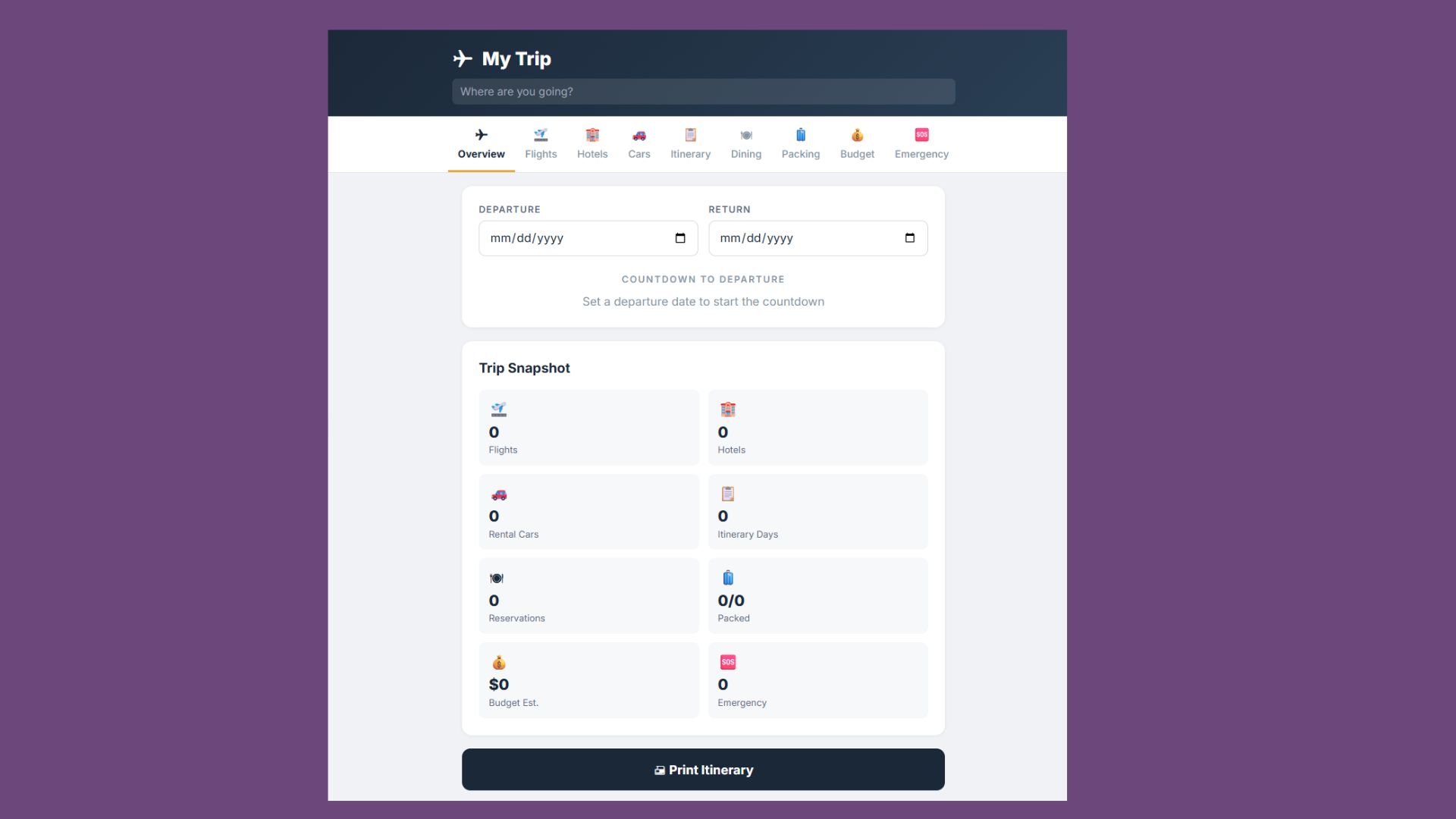
Planning a trip usually means juggling confirmation emails, reservations, maps and packing lists. And if you've used ChatGPT to book flights or plan your stay, you might want to create an app that combines everything into one personalized travel dashboard.
It's easier to stay on budget and remember specific travel details when everything is kept in one place. This app does just that.
Prompt: Build a travel planning app where I can organize flights, hotels, rental cars, daily itineraries, restaurant reservations, packing lists, budgets and emergency contact information. Include a countdown to departure and a printable itinerary. Make it mobile-friendly.
Final thoughts
I cannot say this enough: I am not a coder. All of the apps you see here were built with Claude. But ChatGPT or Gemini work just as well. It really comes down to your preference or subscription. Just paste one of the prompts above and continue the conversation naturally.
You can add preferences such as "Make the buttons bigger" or "Make the colors neutral shades." Whatever you want, simply tell the chatbot.
Just think of AI as a contractor rather than a search engine. The first version rarely needs to be perfect, you simply tell it what you'd like to change until it matches your vision.
For many people over 50, AI is so much more than a helpful writing tool or answer-machine. It's useful because it removes one of the biggest barriers to creating software.
You no longer have to know how to code to build something that solves a problem in your own life. If you can describe what you want in plain English, today's AI tools can often build a working first version in minutes.
More from Tom's Guide
This is a preview from the original publisher. Continue reading at the source:
Read Full Article on tomsguide.com →