

HyperDrive Next Thunderbolt 5 Dock review: An imperfect docking station that's built to last with one feature that might surprise you
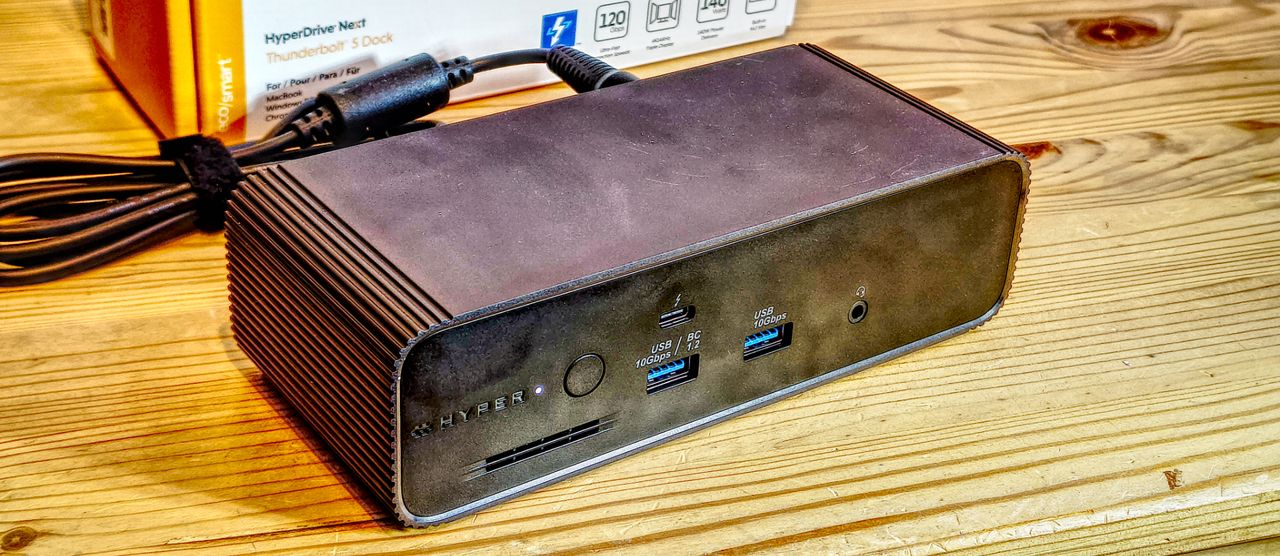
HyperDrive Next TB5 Dock: 30-second review
While docking stations are rarely the most glamorous pieces of hardware on a desk, they do offer a generation shift in connectivity that can completely transform a professional workflow. That’s the thinking behind HyperDrive Next Thunderbolt 5 Dock. Take a single Thunderbolt 5 uplink cable, and with it convert a premium laptop or professional mini PC into a modular, desktop-class powerhouse.
Historically, compact Thunderbolt docks forced users to accept a hierarchy of compromises-sacrificing networking speeds, capping host charging, or forcing external storage enclosures to occupy precious downstream ports. Hyper systematically eliminates these constraints. Built around Intel's newest Barlow Ridge controller, the dock shifts dynamically between a symmetrical 80Gbps bidirectional layout and an asymmetrical 120Gbps downstream pipeline for monstrous multi-display or high-refresh configurations.
What elevates the HyperDrive Next over its closest competitors, like the Ugreen Maxidok 10-in-1, is its inclusion of premium internal features. Rather than reserving professional-grade utilities for a giant, corporate-sized footprint, Hyper fits an active-cooled M.2 NVMe PCIe Gen 4 slot and a 2.5GbE LAN port directly into this rugged chassis.
One snag is that at $399.99, which seems excessive for a dock with this number of ports. But for digital creatives, video editors, and engineering professionals seeking maximum bandwidth and a clutter-free desk, it might be worth it.
It also suffers from some of the same performance issues that I noticed on the UGREEN Maxidok 17-to-1 TB5 dock, and it doesn’t offer any native HDMI or DisplayPort outputs. That last limitation means that if you want to connect monitors, you will need to buy Thunderbolt to HDMI/DP adapters, and those aren’t cheap.
Because of some of these points, the HyperDrive Next Thunderbolt 5 Dock isn’t a candidate to join our best docking station collection. But it might be the right specification for some customers.
HyperDrive Next TB5 Dock: Price & availability
- How much does it cost? $399/€348.75
- When is it out? Available now
- Where can you get it? Direct from the HyperShop, Amazon.com, and authorised pro-audio/video retailers like B&H.
The HyperDrive Next Thunderbolt 5 Dock is available direct from Hyper, as well as retailers such as Amazon and B&H Photo.
The device sits firmly in the premium tiers of enterprise and prosumer desk hardware. At $399.99, it is explicitly targeted at those who can monetise the massive leaps in transfer speeds and potential display throughput.
When positioned against the broader marketplace, this is on the edge of the premium space for a dock that, in theory, has the features to justify it. For context, smaller "halfway house" Thunderbolt 5 docks like the Ugreen Maxidok 10-in-1 retail closer to $300 but cut out the internal storage slot, drop networking to standard 1GbE, and cap individual laptop charging to 100W.
To get equivalent feature parity from alternative brands, you typically have to move to massive 17-in-1 enterprise enclosures that carry bulkier footprints and larger PSUs.
The competitive landscape is interesting, since many makers still consider TB5 technology to be high-end rather than consumer products.
The key players that make this level of hardware are Anker, CalDigit, Kensington, OWC, and Ugreen.
However, at this time, only CalDigit, Kensington and UGREEN offer a dock with an M.2 slot
One that many will gravitate to is the CalDigit TS5 Plus, a dock that sports a 10GbE LAN port and 140W power profile. That 20-port option doesn’t have an M.2 slot, and it costs $499.99/£469.99 on Amazon.com.
I did notice that the Kensington SD7100T5 EQ Pro isn’t globally available, but it can be bought in the USA, if you have $449.99 burning a hole in your pocket. It’s a fully featured dock with three TB5 downstream ports, an M.2 slot, and a 2.5GbE LAN port.
The most recent arrival is the Ugreen Maxidok 17-to-1, a slightly cheaper option at $390, but it does have a DisplayPort output, M.2 and 2.5GbE LAN port.
While only undercut by the Ugreen Maxidok, the HyperDrive Next Thunderbolt 5 Dock is only a ten-port dock, and if it didn’t have the M.2 slot, I’d be comparing it to the likes of the Maxidok 10-to-1 option that costs only $250.
I should also point out that to make the most of this dock, you need Thunderbolt 5, though it will work with Thunderbolt 4, Thunderbolt 3, USB4 and even USB-C.
Buying this dock with a Thunderbolt 4 machine means paying a premium for capabilities you cannot yet access. The hardware is forward-looking, but the investment only pays off when the host catches up.
If you aren’t planning to upgrade to a machine with Thunderbolt 5 technology, then this hardware's best feature will mostly go unused.
- Value: 4 / 5
HyperDrive Next TB5 Dock: Specs
|
Feature |
Specification |
|
Model |
HD2801GL |
|
Thunderbolt Protocol |
Thunderbolt 5 (Intel Barlow Ridge JHL9580 controller family) |
|
Upstream Host Port |
1x TB5 rear, 140W EPR PD 3.1 pass-through |
|
Downstream TB Ports |
2x TB5 rear, 1x TB5 front |
|
USB-A Rear |
2x USB-A 10Gbps (4.5W each) |
|
USB-A Front |
1x USB-A 10Gbps 4.5W, 1x USB-A 10Gbps 7.5W |
|
Network |
1x RJ-45 2.5GbE |
|
Audio |
1x 3.5mm TRS/TRRS combo |
|
Power Supply |
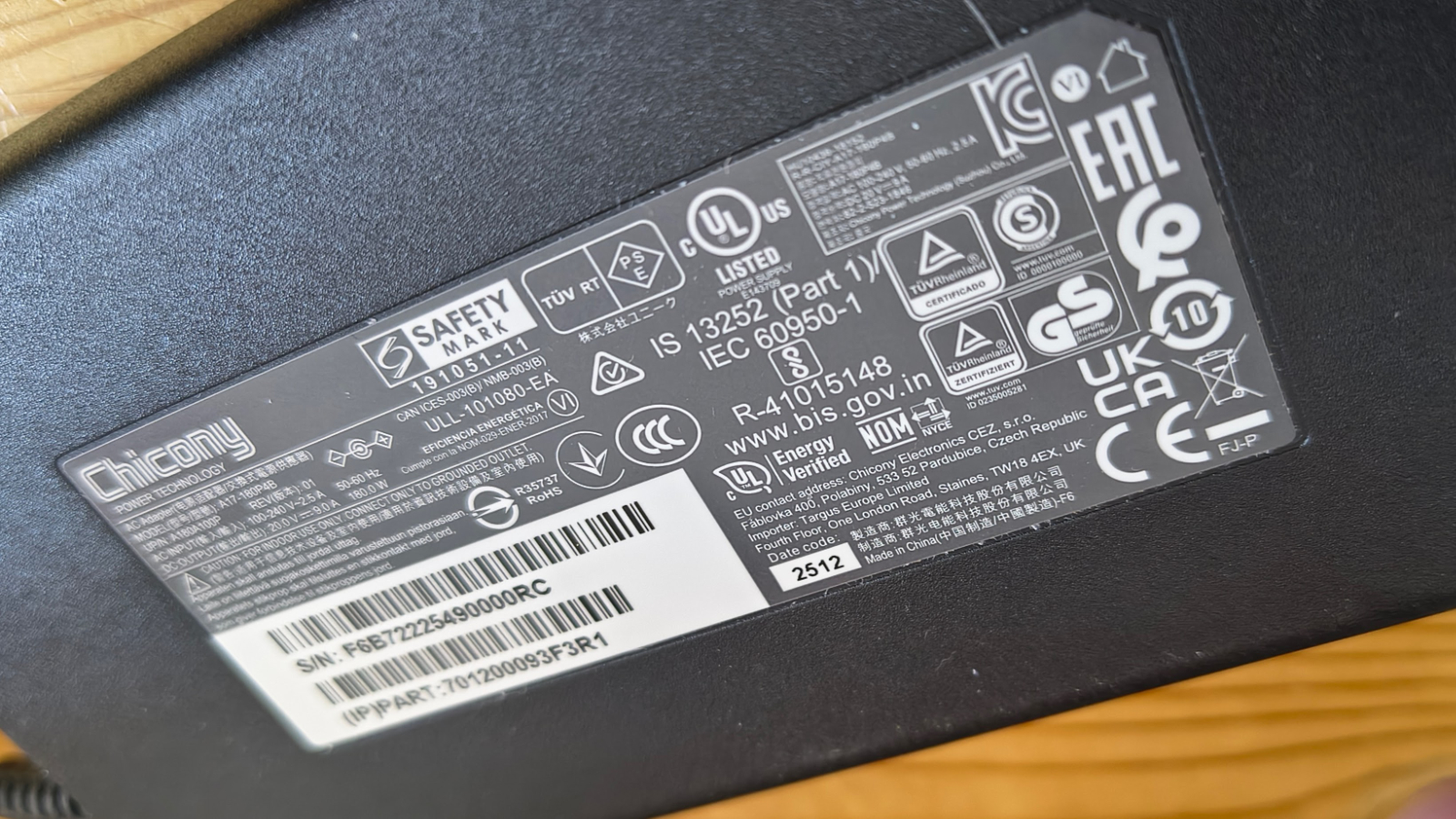
DC 20V 180W external power brick |
|
M.2 Expansion Slot |
Full-size M.2 PCIe Gen 4 x4 / Gen 3 (NVMe or PCIe M.2 module) |
|
Max NVMe Capacity |
Up to 16TB |
|
AI Module Support |
Yes (compatible PCIe M.2 modules including inference accelerators) |
|
Thunderbolt Share |
Yes (dual-PC direct sharing without network) |
|
Display Output Windows |
3x 4K 144Hz or 8K 144Hz |
|
Display Output macOS |
3x 4K (M5 Pro/Max only) or 2x 4K (other Mac configs) |
|
Bandwidth |
80Gbps symmetric / 120Gbps display boost |
|
Power Button |
Yes (front panel) |
|
Security Slots |
Nano Kensington and standard Kensington |
|
Dimensions |
19.4 x 7.8 x 5.2 cm (L x W x H) |
|
Materials |
75% recycled PCR plastic and aluminium |
|
Warranty |
2 Years |
HyperDrive Next TB5 Dock: Design
- 3x TB downlinks
- No HDMI or DisplayPort
- M.2 slot on the underside
The success or failure of this design hinges on whether you intend to use a monitor attached to the dock. The cable/adapters to do this aren’t expensive, but they are an extra expense, and it would have been nice if Hyper had included at least one with the dock.
The design of this dock reminds me of others made by StarTech and OWC that use the same extruded aluminium tube with capped ends.
It’s not horrible, and it feels remarkably robust, but it's also not cutting edge or especially refined.
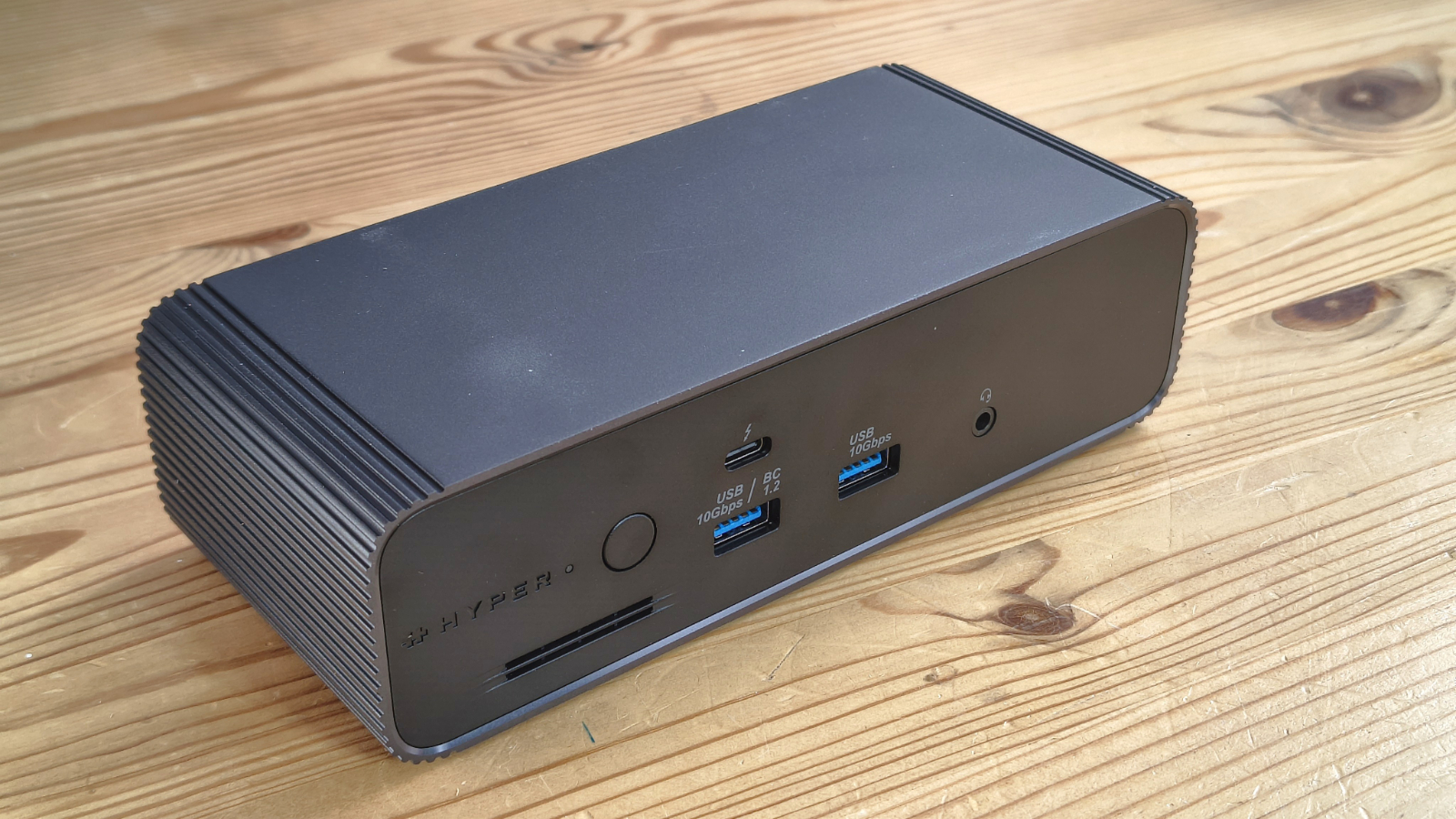
The HyperDrive Next TB5 dock is a horizontal desktop slab measuring 19.4 x 7.8 x 5.2 cm. It is compact without being cramped, and the low profile keeps it unobtrusive on a crowded desk.
What struck me first was how heavy it is, with the dock weighing an impressive 1.88kg (4.12 lbs). If you’ve had a dock that someone has knocked off your desk with their elbow in passing, this is not that type of dock. And, brushing this one at speed might result in a trip to the doctor.
Construction uses a mix of aluminium and recycled PCR plastics. Hyper states that 75% of the dock body is composed of post-consumer recycled material. The aluminium elements serve a thermal purpose as well as an aesthetic one, helping dissipate heat during extended running.
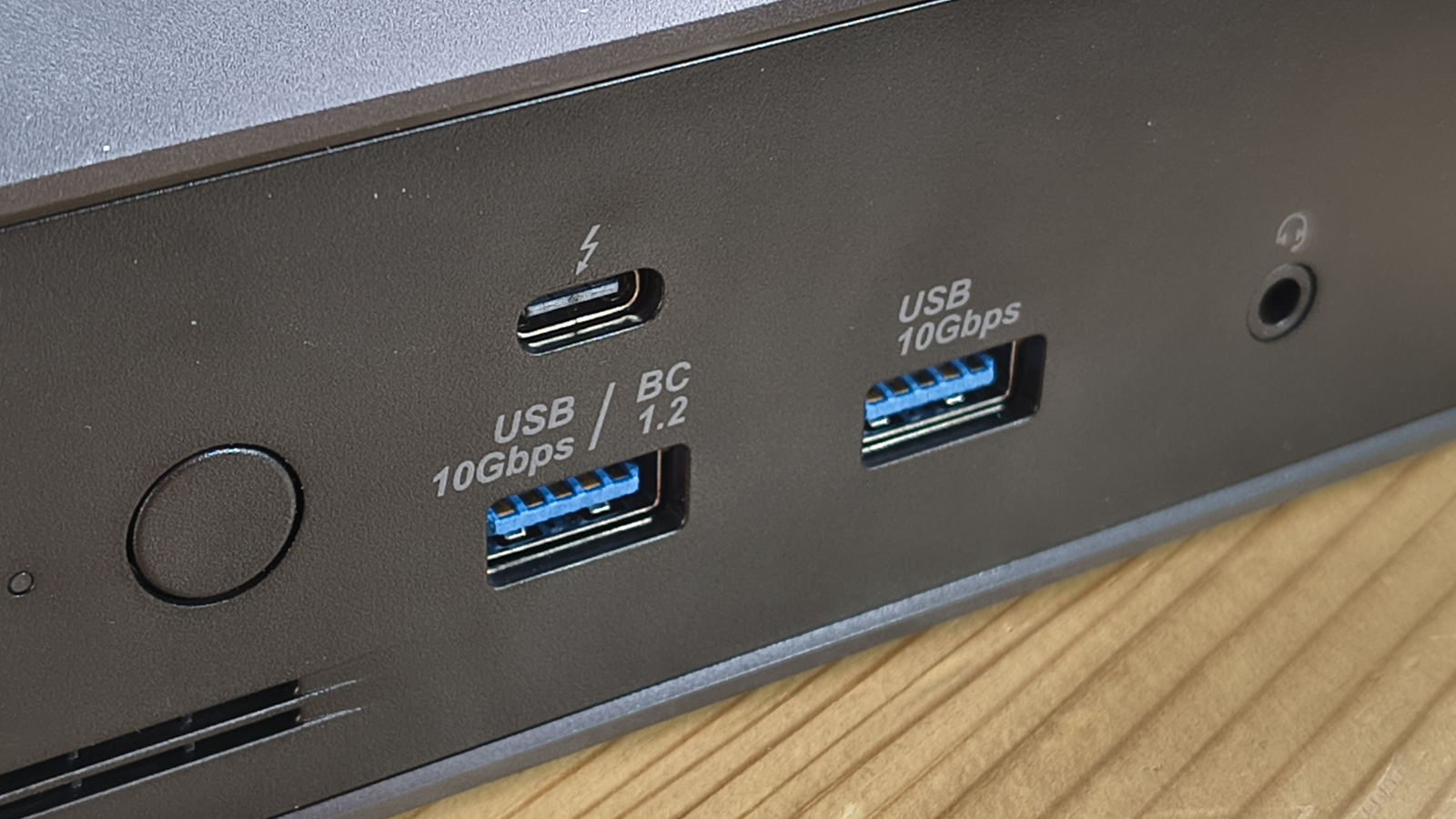
The front panel carries one TB5 downstream port, two USB-A ports at 10Gbps, a 3.5mm audio combo jack and a power button. The physical power button pays dividends in daily use. Powering the dock on and off without unplugging the host cable is a small convenience that quickly becomes an expectation.
Having a TB5 downlink on the front is nice, although some might get confused and think that it is the uplink.
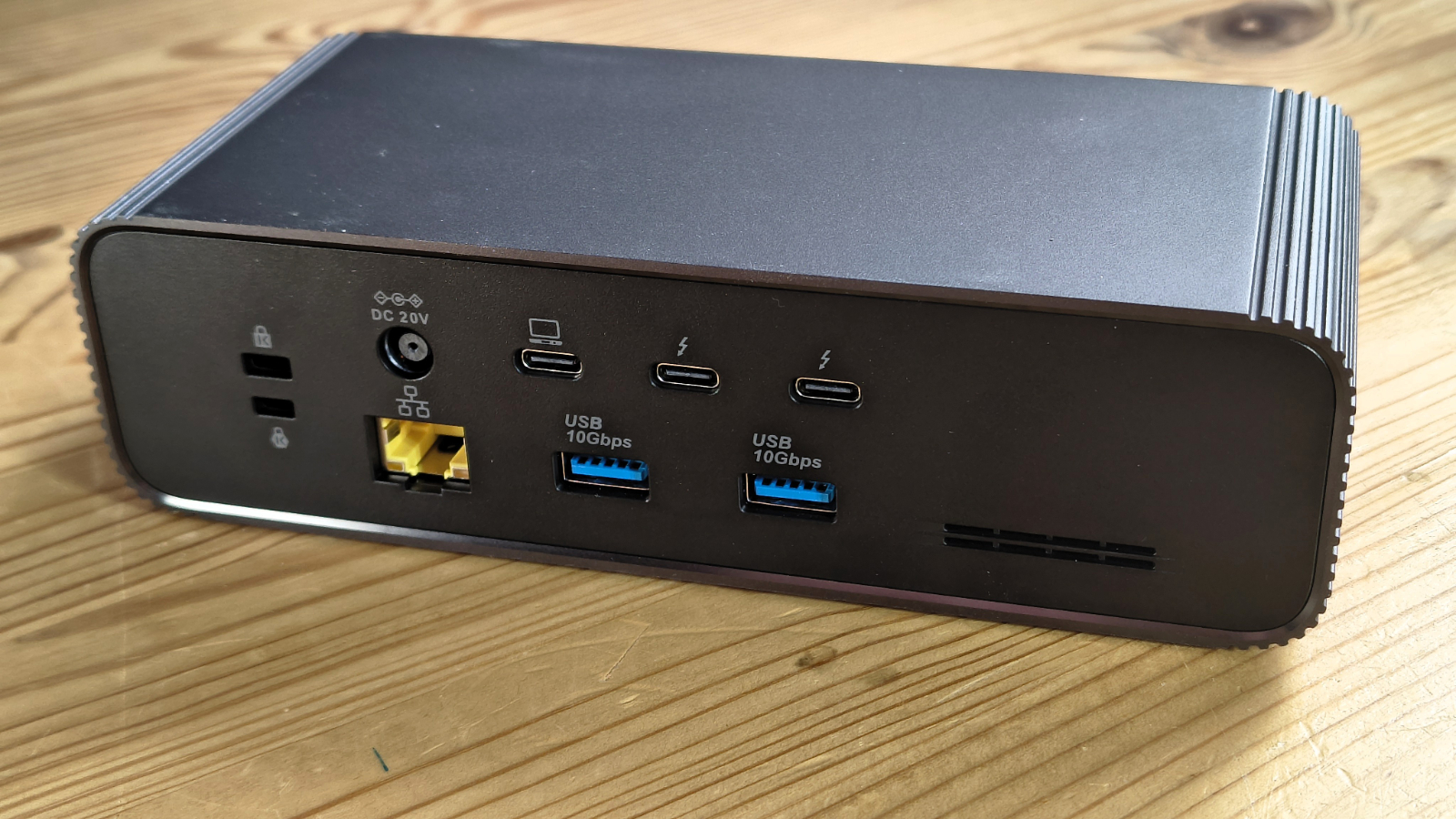
The rear carries the host TB5 port, two further downstream TB5 ports, two USB-A ports, the 2.5GbE RJ-45 port, the DC power input and dual Kensington lock slots. The two-slot security provision, one nano and one standard, is a welcome professional-grade addition.
If you haven’t clicked already, Hyper traded away the dedicated monitor connection for the third TB5 downlink, meaning you will need adapters to connect any type of monitor.
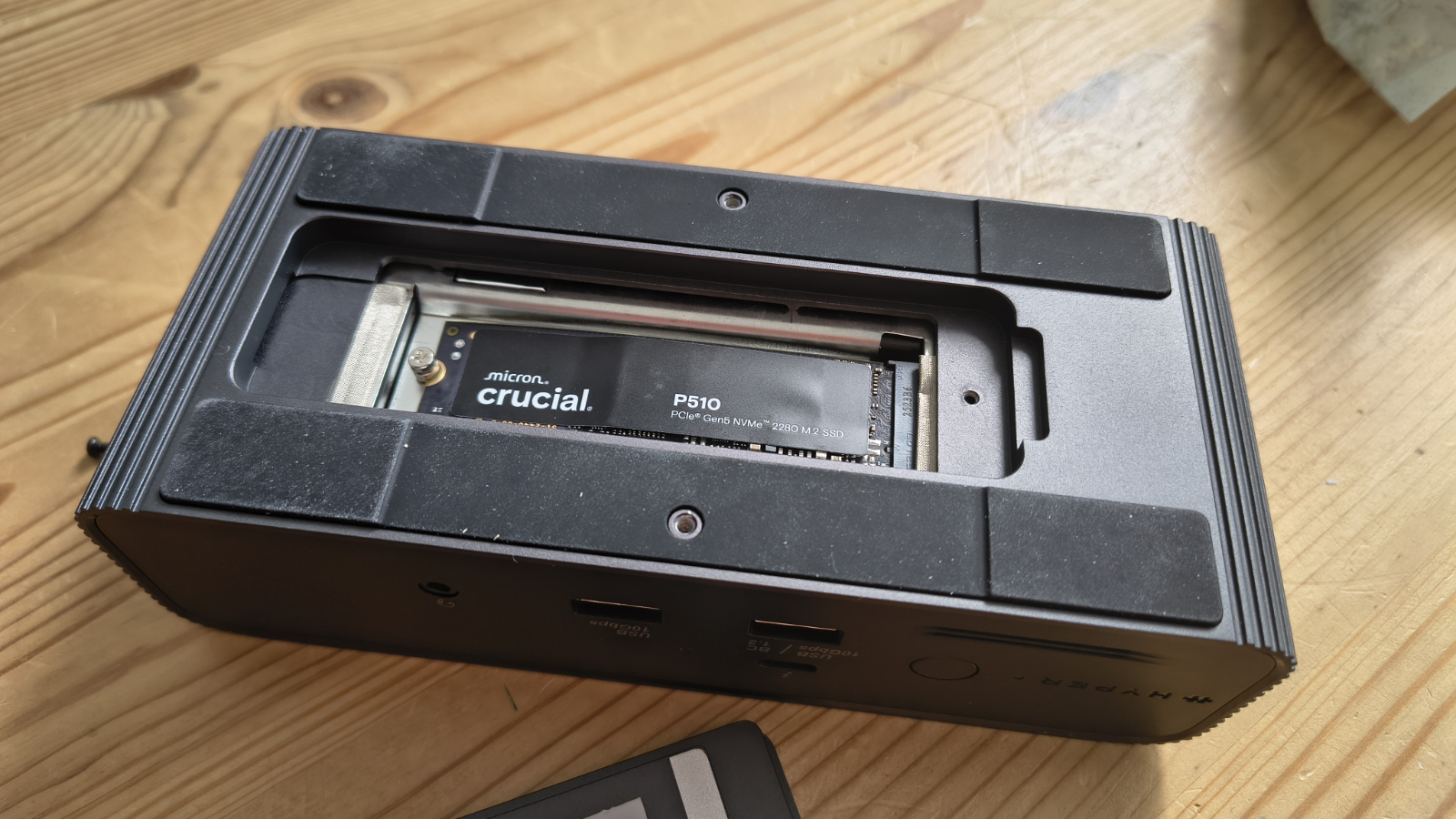
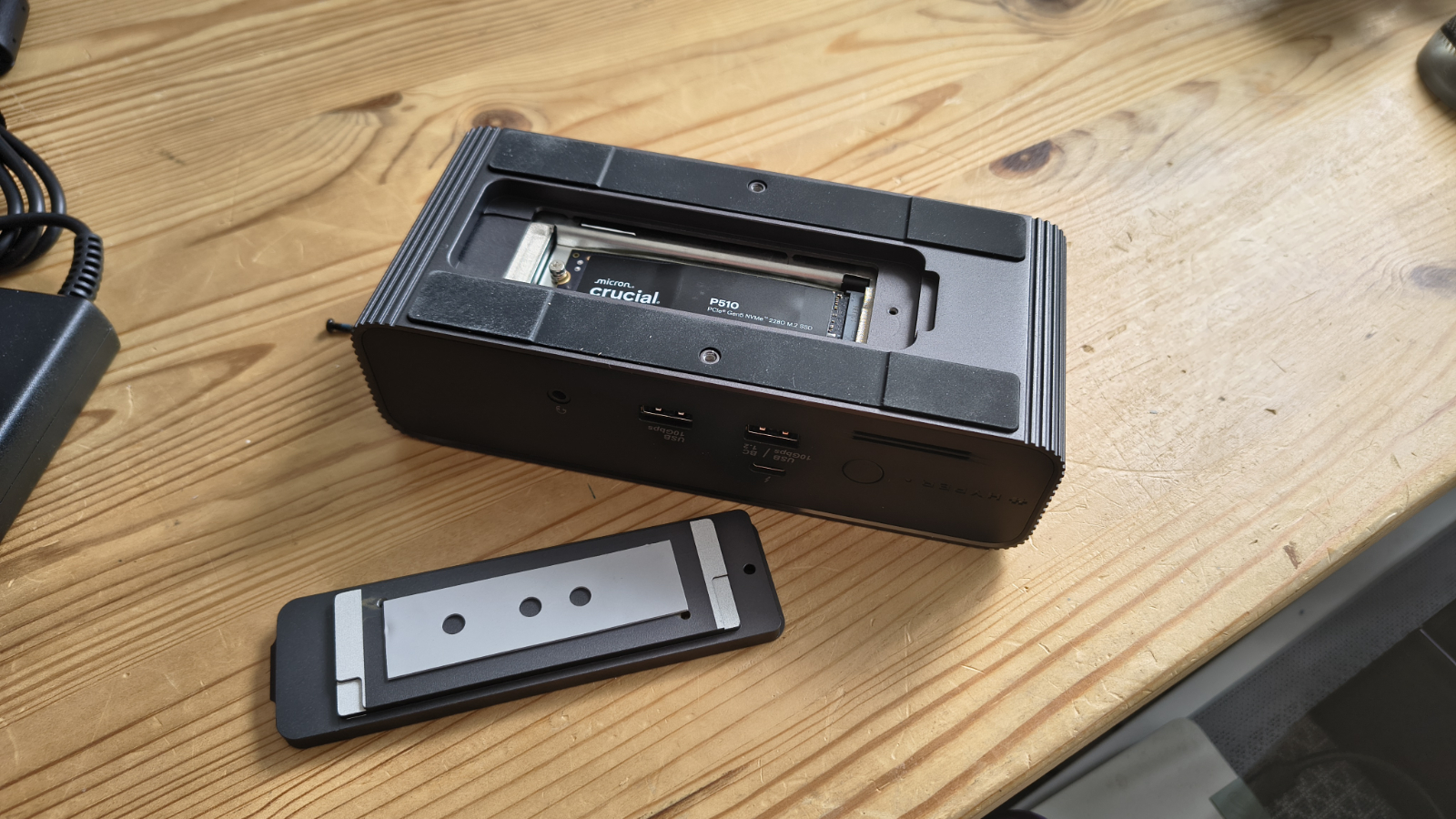
The M.2 expansion bay is accessed via a removable panel on the underside of the chassis. Fitting a drive is straightforward. The bay supports full-size M.2 2280 modules at PCIe Gen 4 x4 or Gen 3 speeds, but it can also accept smaller M.2 form factors. Hyper also formally supports compatible PCIe M.2 accelerator cards here, including inference hardware such as the Hailo-8.
I’ll be frank and say that before Hyper mentioned such functionality, I was unaware that AI acceleration in the M.2 form factor was even a thing, but apparently it is, and this dock supports it.
- Design: 4 / 5
HyperDrive Next TB5 Dock: Features
- TB5 Bandwidth
- M.2 Slot
- 140W charging
Thunderbolt 5 offers 80Gbps symmetric bandwidth, handles simultaneous data, display and power delivery. When the host machine supports bandwidth boost mode, that figure rises to 120Gbps on the display path, enabling the full triple 4K or 8K output scenarios.
Display support is platform-dependent. On Windows and on the MacBook Pro M5 Pro or M5 Max, three external displays run at up to 4K 144Hz or a single 8K at 144Hz. Other macOS configurations and Chrome OS devices are limited to two extended displays. This reflects the display engine capabilities of those platforms rather than any shortcoming in the dock itself.
Unless you have a Thunderbolt-capable display, you will need appropriate cables or adapters to connect screens, and as many of these use the USB-C protocol, results may vary.
On a more positive note, Thunderbolt Share is the feature that sets this dock apart from most competition. Connecting two computers via TB cables allows direct file, peripheral and control sharing at speeds Hyper claims are up to 64 times faster than Gigabit Ethernet. No network infrastructure is needed. A work Mac and a personal Windows machine can share a keyboard, mouse and monitor without touching a cable.
That’s especially useful if you have a desktop computer and a laptop, since it avoids the need to buy yet another gadget to attach them simultaneously.
The M.2 slot deserves its own discussion. PCIe Gen 4 x4 bandwidth through a TB5 connection is theoretically sufficient for any current NVMe drive to operate near its rated speeds. The slot also supports PCIe-based AI accelerator modules. A Hailo-8 or similar inference card installed here allows a laptop to run local AI workloads without a desktop GPU.
Power delivery reaches 140W via EPR PD 3.1. This is the highest common tier for laptop charging, sufficient to keep high-performance MacBook Pros and demanding Windows workstations topped up even under load. The physical power button on the front allows the dock to be cycled without disturbing the host cable connection.
Port count totals ten across the front and rear. All four USB-A ports run at 10Gbps. Dual Kensington lock slots in nano and standard formats reflect Hyper's targeting of professional and enterprise environments.
- Features: 4 / 5
HyperDrive Next TB5 Dock: Performance
- Intel created performance issues
- 140W power dilemma
I ran into issues with this dock, and they were identical to those I previously experienced on the Ugreen Maxidok 17-to-1, hardware built on the same Intel Barlow Ridge controller.
That suggests neither Ugreen nor Hyper is the culprit in these cases, and that there is an issue with the controller's bandwidth allocation to both the 2.5GbE LAN port and the M.2 slot.
In both cases, neither interface performs as it should, reducing file transfers over the LAN port to about 60% of what I would normally expect and making the Gen4x4 appear to be a Gen3x4 or Gen4x2 slot.
And, like the Ugreen dock, I was able to get the full 2.5GbE LAN experience by plugging an inexpensive $26 USB to Ethernet Adapter 2.5GbE into the dock. Which means that it allocates less bandwidth to the LAN port than it does to 10Gbps USB Type-A ports.
The issue appears to be the same with the M.2 slot, and again, I was able to get better performance from a Corsair EX400U USB4 external SSD attached to one of the TB5 downlinks than I was for a Gen4 drive installed in the M.2 slot.
Those are issues it inherited, it appears, but there are some others that I need to mention that were choices Hyper made.
These relate to the power distribution, as this dock only has an 180W PSU, yet it claims it can charge at 140W. It can probably charge at 140W, assuming none of the other ports is drawing power. But if the M.2 is occupied, and something is pulling 15W from each of the Thunderbolt downlinks, there is a mathematical problem with getting those numbers and the overhead of running the dock from a total of 180W.
It’s interesting to note that other flagship docks come with 240W or even 330W in one case to avoid the power pinch, but not this one.
I feel bad talking about the performance issues on this dock because I don’t think the maker can be blamed, but equally, anyone handing over $400 for one of these needs to know what to expect.
- Performance: 3.5 / 5
HyperDrive Next TB5 Dock: Final verdict
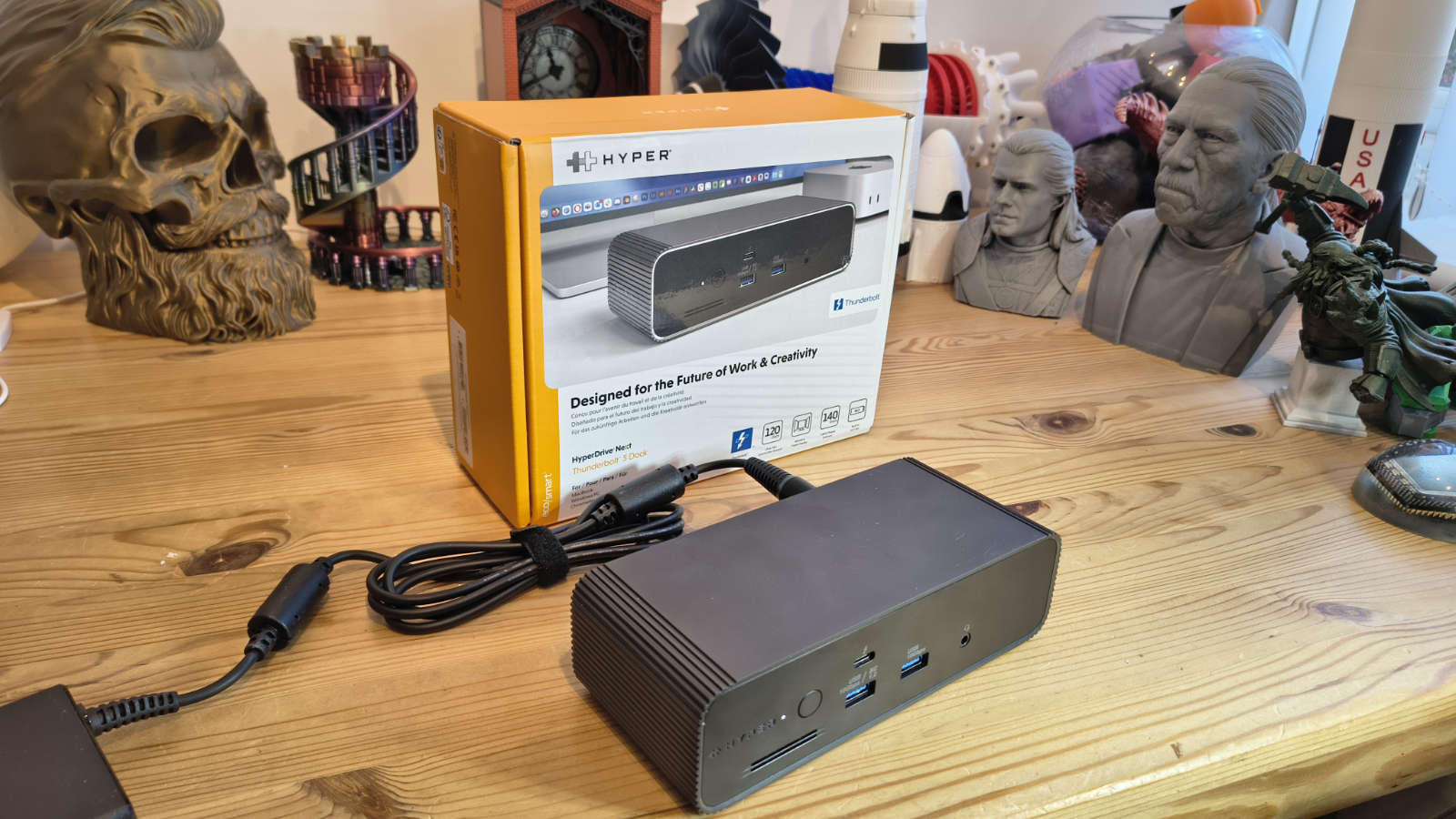
The HyperDrive Next Thunderbolt 5 Dock is a strong entry into a rapidly maturing market. Hyper has delivered on the headline promises of TB5 bandwidth, triple 4K display output, Thunderbolt Share connectivity, a built-in M.2 expansion slot and 140W EPR charging. However, the devil is certainly in the details of many aspects.
The performance ceiling of the M.2 slot and the 2.5GbE port under load is a real limitation. But the context is that these shortfalls have appeared consistently across every dock built on the Intel Barlow Ridge TB5 controller family. They are not a Hyper problem; they are an Intel architecture problem. Buyers who understand that tradeoff will find this dock a genuinely capable daily driver, if it fits their specific workflow.
At $399.99, the dock is priced in the thick of the premium TB5 segment. The built-in M.2 bay and Thunderbolt Share support give it a differentiated position, but the lack of at least one dedicated monitor connection or any card slots could be showstoppers for some.
But for others, the inclusion of three TB5 downlinks opens up the dock to be a highly flexible option.
HyperDrive Next TB5 Dock: Report card
|
Value |
Not the cheapest TB5 dock with M.2, but hardly expensive. |
4 / 5 |
|
Design |
Solid and chunky, but with limited ports for a flagship design |
4 / 5 |
|
Features |
Offers 140W charging, but it probably shouldn’t |
4 / 5 |
|
Performance |
Marred performance on LAN and M.2 courtesy of Intel |
3.5 / 5 |
|
Overall |
For those who want TB5 downlinks, this is an attractive dock |
4 / 5 |
Should I buy a HyperDrive Next TB5 Dock?
Buy it if...
You have Thunderbolt 5
If you have the right ports, you can extract levels of performance from this dock that TB4 and USB4 could only dream. And, it can also handle dual 8K video, should you have the monitors and adapters to connect.
You have TB5 peripherals
With three TSB5 downlinks, this dock is aggressively positioned to exploit them. These include TB monitors and external storage. But if you want to use the Thunderbolt Share feature, that will immediately remove one of those ports from general use.View Deal
Don't buy it if...
You need true M.2 NVMe Gen4x4 performance
The Intel controller architecture cannot sustain those figures under simultaneous load, unfortunately. Either get a TB5 external SSD or connect a USB4 SSD directly to your PC, which will deliver better results.
You need more than 140W charging
The maximum amount of power that the TB5 uplink port on this dock can deliver is 140W. If you need more than that for other ports, then you might need to connect a dedicated PSU to your laptop or find a more power-capable design, like Ugreen's flagship 17-to-1 model.
Also consider
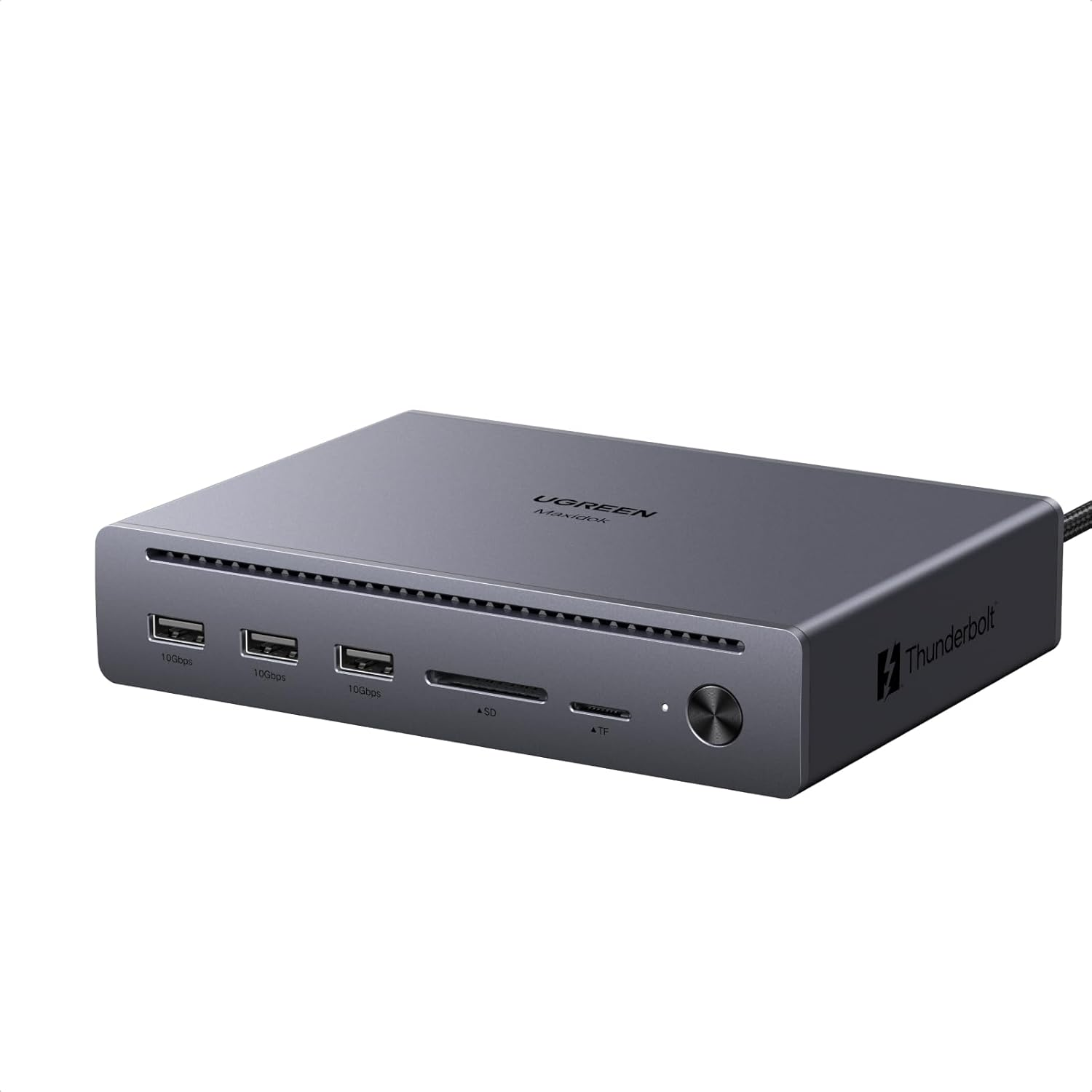
Ugreen Maxidok 10-to-1 TB5 dock
Fewer ports but the same underlying TB5 technology, and a much lower price. The 10-to-1 dock offers two TB5 downlink ports and a single HDMI monitor output at only 60% of the price of its 17-to-1 big brother.
Check out my Ugreen Maxidok 10-to-1 TB5 dock review
This is a preview from the original publisher. Continue reading at the source:
Read Full Article on techradar.com →