

I tested the TP-Link Archer BE770 and this full-featured Wi-Fi 7 router is an absolute networking bargain

Wi-Fi Spec: BE18000
Number of Antennas/Removable: 10/No
Ports: 1 10Gbps WAN, 1 10Gbps LAN, 4 1Gbps LAN, 2 USB 3.0
Processor/Memory/Storage: Quad-core 2.0GHz/1GB/256MB
Wi-Fi chip: Broadcom BCM67263
802.11ax performance: 2.248 Gbps (at 15 feet)
Range: 130 feet
Size: 11.7 x 10.4 x 4.1 inches
Estimated Annual Electricity Cost: $32.34
What do you get when you mix top Wi-Fi 7 speeds and range with 10Gbps wired ports and low latency technology? You get TP-Link’s Archer BE770, one of the best high-performing traditional routers on the planet. At $400, it blows the doors off other routers selling for hundreds more, making it the one to beat for those who demand top Wi-Fi speed.
My TP-Link Archer BE770 review will help you decide if this is the best Wi-Fi 7 router for your home network or if it’s worth considering one of the best mesh Wi-Fi systems instead.
TP-Link Archer BE770 review: Pricing and availability
With a list price of $400, the Archer BE770 is priced at $350 on Amazon at the moment. It’s a good bargain compared to Netgear’s $600 Nighthawk RS700S, which matches the BE770 just about spec for spec.
New and in demand, one online store is selling the BE770 at nearly double its list price.
TP-Link Archer BE770 review: Design
At 11.7 x 10.4 x 4.1 inches, the gray and black Archer BE770 stands in contrast to the company’s Darth Vader inspired Archer GE650. The roughly rectangular router is cinched in the middle and nearly two-thirds larger than the NetgearRS700S. It should still fit on a bookshelf though.

Its central LED diverges from the pixelated display on the Archer BE800 for showing LAN access, the time, weather or just some frivolous (but addictive) animations. I prefer its demure central status LED to the assault on the senses.
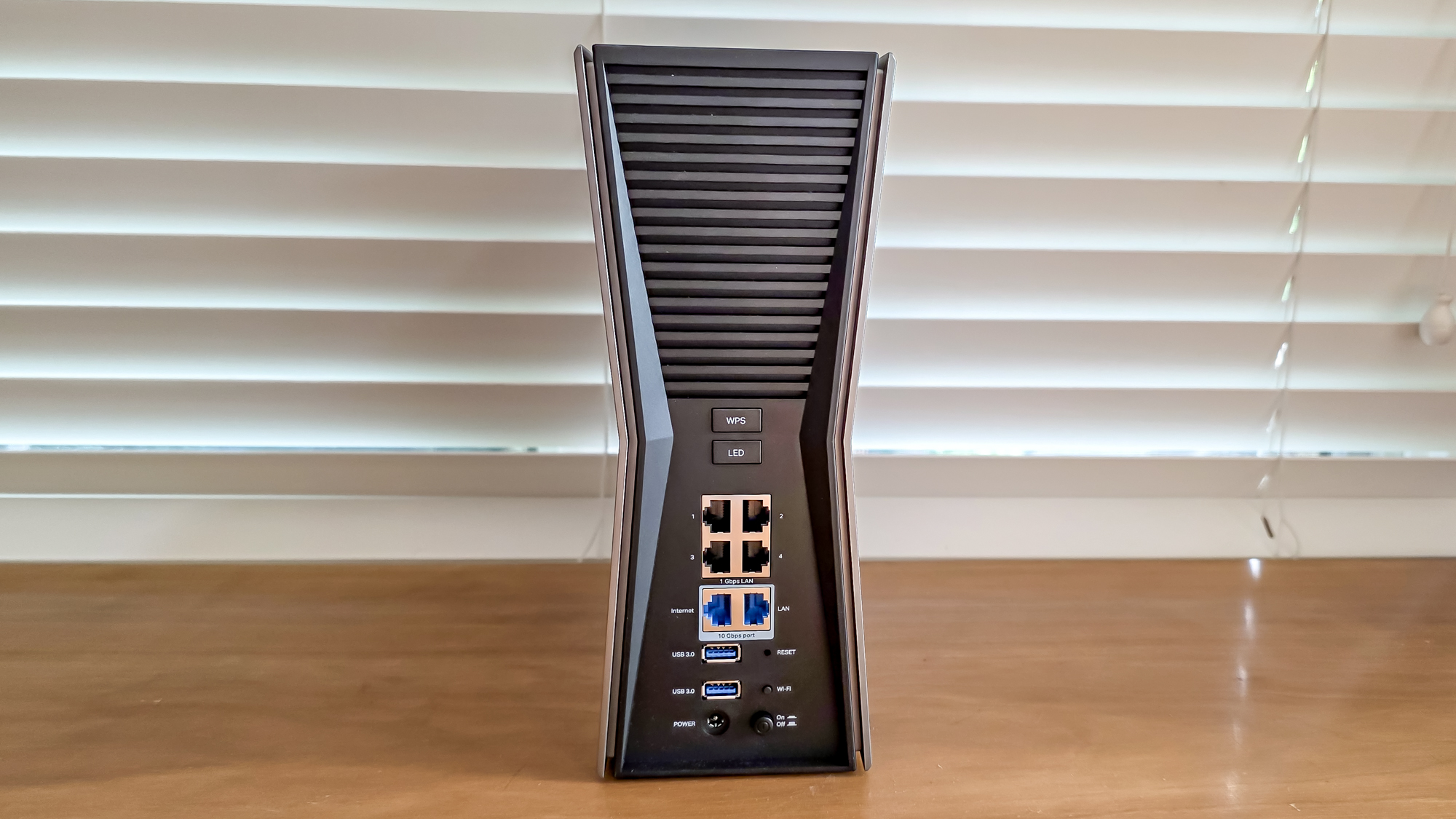
Inside, the BE770’s 10 internal antennas give it a tidy look compared to high-performance routers that have external antennas pointing every which way. Arranged in a staggered vertical array, it produces roughly spherical reception and has an antenna to tap into Dynamic Frequency Selection (DFS) zero wait technology, lowering the router’s latency.
An offshoot of the Archer BE700 design, the triband BE770 covers the Wi-Fi 7 bases with a Broadcom BCM67263 radio chip, 2.0 GHz quad-core processor, 1GB of RAM and 256MB of storage space. Able to move a theoretical 18Gbps, it’s rated at a maximum of 688 Mbps over the 2.4GHz band as well as 5.764Gbps and 11.529 over the 5.0 and 6.0GHz bands.
As flexible as networking gets these days, the BE770 can operate as a traditional router, a wired access point or as an EasyMesh wireless node. It pushes throughput with everything from Multi-Link Operations (MLO) to 4K Quadrature Amplitude Modulation (QAM) to its ultrawide 6GHz 320 MHz data channels. The router’s 10 independent data streams can accommodate up to 150 Wi-Fi devices and should satisfy those with multi-gig data plans.
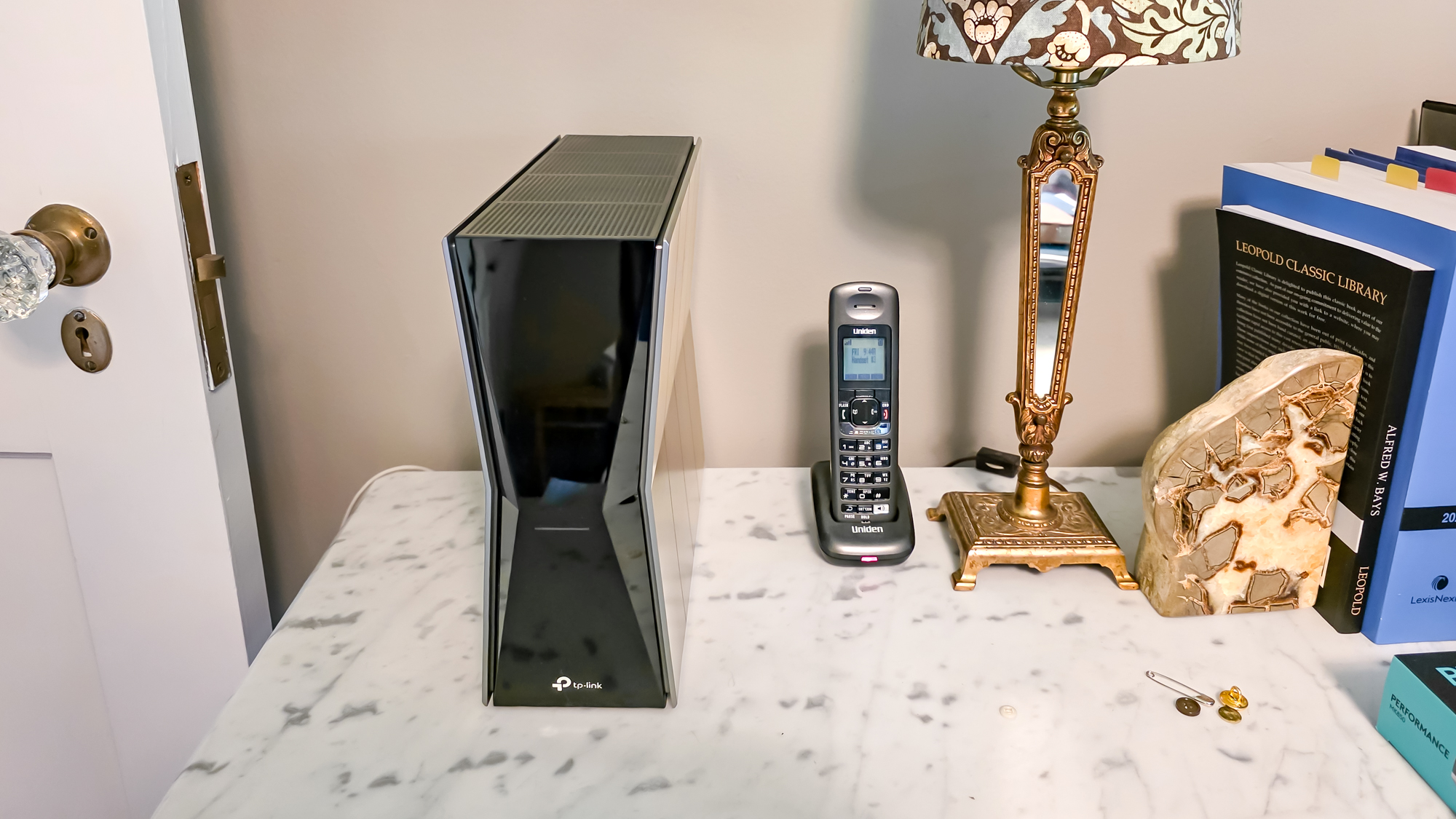
While high-performance all the way, the BE770 lacks amenities that TP-Link reserves for the best gaming routers. These include pre-configured port forwarding options for gaming consoles and access to the WTFast links for the GPN (Gamers Private Network).
Still, it has a top-shelf port selection. It starts with 10Gbps ports for WAN input and very hot downstream links and extends to four 1 Gbps connections for more mundane clients, like printers or surveillance cameras. It lacks the Archer BE800’s SPF+ fiber optic port, but few will miss it.
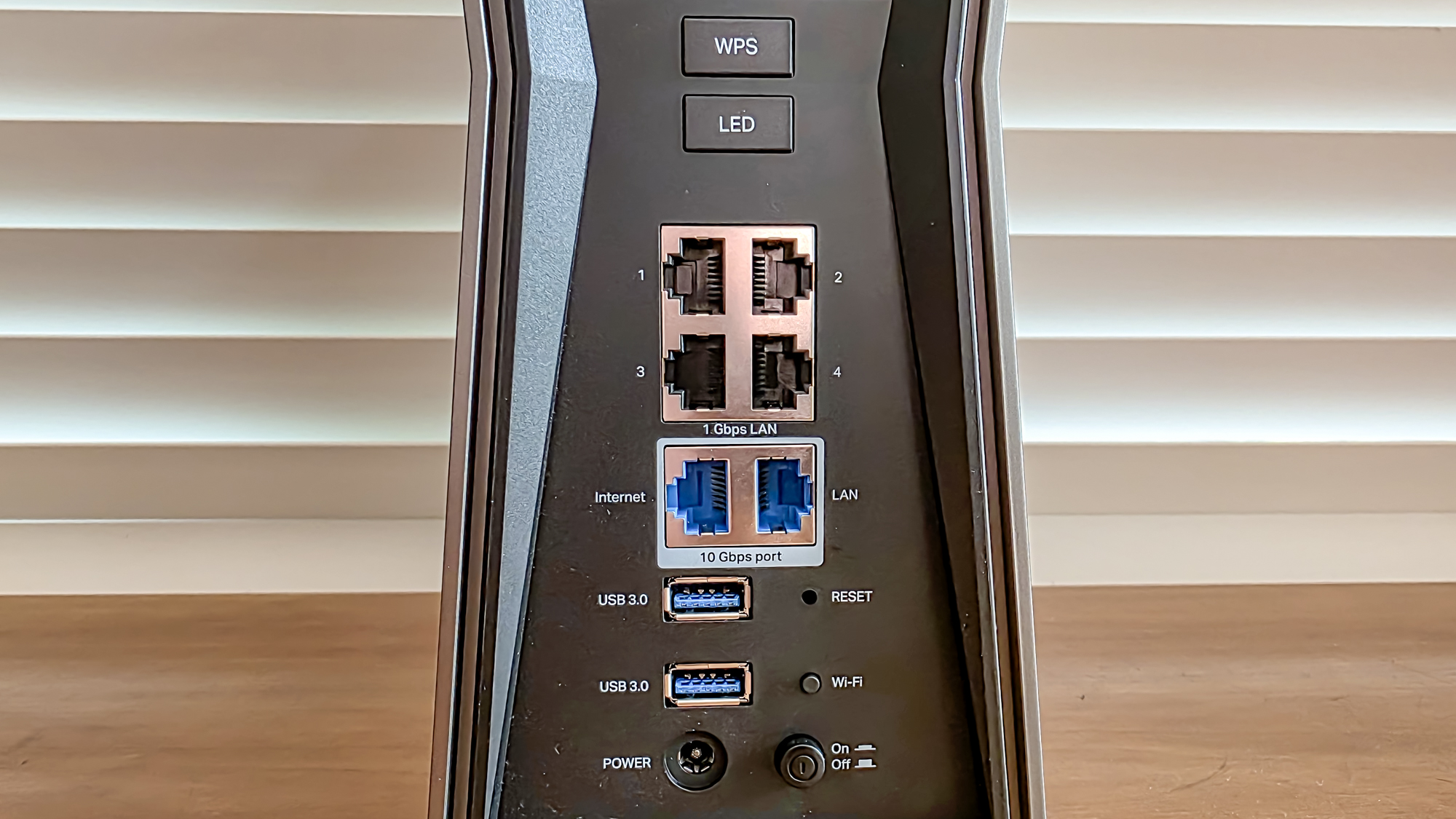
The two USB 3.0 ports can add cross network data access. Around back, the router’s on/off button is complemented by its Wi-Fi Protected Setup (WPS) and LED light switch. It has a recessed reset switch.
With hackers hiding in plain sight, the BE770 can shield data as a VPN server or client and includes TP-Link’s HomeShield base security subscription. Its defenses include preventing personal data leaking out, filtering out the worst the web has, and blocking dangerous apps. It can catch the major malware exploits of the day and is continually updated.
A little more paranoid online? Who isn’t. TP-Link’s Security+ plan costs $6 a month or $55 a year and ups the protection with isolation for IoT devices and extra parental controls. The first month is free.
TP-Link Archer BE770 review: Performance
Druing testing using an HP Envy X360 notebook and Keysight’s IxChariot networking benchmark, the Archer BE770 excelled with top throughput and range. In my 3,500 square foot home, it left a few dead zones in the basement.

Set to simulate 10 data-hungry users, IxChariot results start with the BE770’s ability to move 2.574Gbps using 15-feet of Ethernet cabling. It’s Meh compared to the TP-Link siblings: the Archer GE800 (at 4.449 Gbps) and the Archer GE650 (3.849 Gbps). Later, with the router and test system next to each other, the BE770 moved 2.574 Gbps wirelessly, slightly off the pace set by the Asus RT-BE96U at 2.685 Gbps.
In real world testing, the BE770 blew away Wi-Fi 7 routers costing hundreds of dollars more with 2.181 Gbps available at 15 feet. That’s eight percent more data flowing than the Archer GE650 and clearly ready for the multi-gig world. Although the BE770 often started off slowly, it gathered speed on subsequent runs. For instance, it took three initial runs at about 400 Mbps before getting to its peak performance. My patience was rewarded with throughput over 2 Gbps.
At 50 feet, the BE770 sprinted ahead of the Wi-Fi 7 crowd at 1.239 Gbps. That’s easily twice the data flow of the Archer GE650 or the Asus RT-BE96U. The closest to it was the Nighthawk RS700S’s 691.8 Mbps.
When I set up the test machine 75 feet from the router, I got 772.1 Mbps of throughput – roughly double the results of the Asus RT-BE96U. At 90 feet, the performance fell back to earth, but still outran the others at 70.9 Mbps, well ahead of the GE650, RT-BE86U or the RS700S.
|
TP-Link Archer BE770 |
TP-Link Archer GE650 |
Asus RT-BE96U |
Netgear Nighthawk RS700S |
|
|
15 feet |
2.181 Gbps |
2.019 Gbps |
1.948 Gbps |
1.773 Gbps |
|
50 feet |
1.239 Gbps |
552.5 Mbps |
392.7 Mbps |
691.8 Mbps |
|
75 feet |
772.1 Mbps |
238.2 Mbps |
402.1 Mbps |
187.6 Mbps |
|
90 feet |
70.9 Mbps |
4.3 Mbps |
31.4 Mbps |
40.6 Mbps |
The BE770 is the rare router with range to match at 130 feet. It easily outdistanced the RT-BE96U’s 105-foot range.
When I set the test machine up in an adjacent room 25 feet away from the BE770, it delivered 1.967 Gbps. That’s twice the bandwidth of the GE650 and even bested the RT-BE96U’s 1.810 Gbps. In other words, the BE770 doesn’t care if you live in a ranch, townhouse or McMansion, it can fill the building with data.

Over my two weeks with the BE770 of playing games, listening to music and streaming 4K video, I encountered some inconsistent results but no major problems. On the other hand, the BE770 is power hungry at 23.4 watts while working hard moving data around my home. Running 24/7, it should cost $35.88 in electricity bills if you pay the national average of 17.5 cents per kilowatt hour of electricity. The BE800 costs something closer to $41 per year.
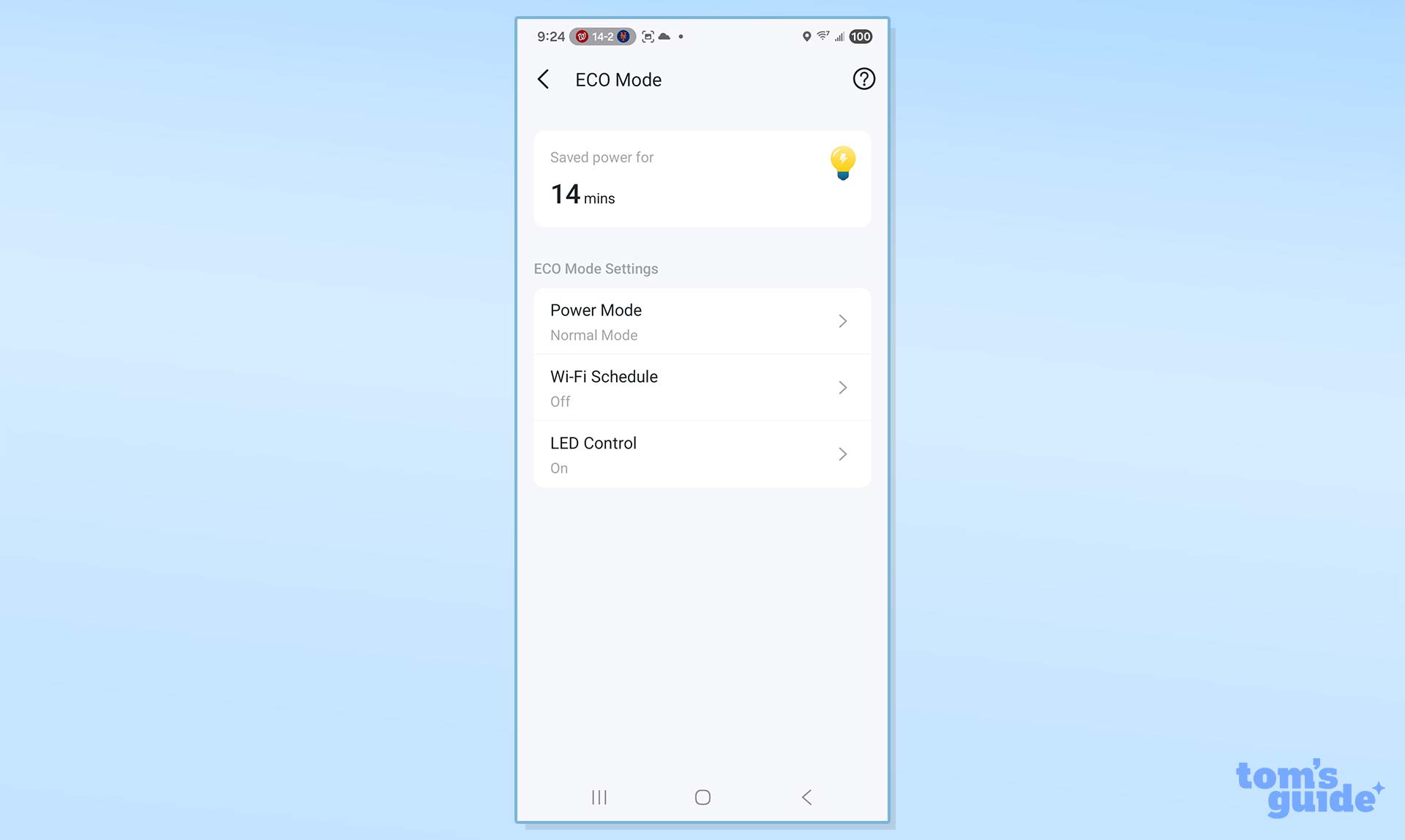
The BE770 has two Eco Mode settings: Power Saving Mode and Ultra Power-Saving Mode, both of which reduce power use by lowering transmission range and throughput. This can be scheduled to only come into play at night.
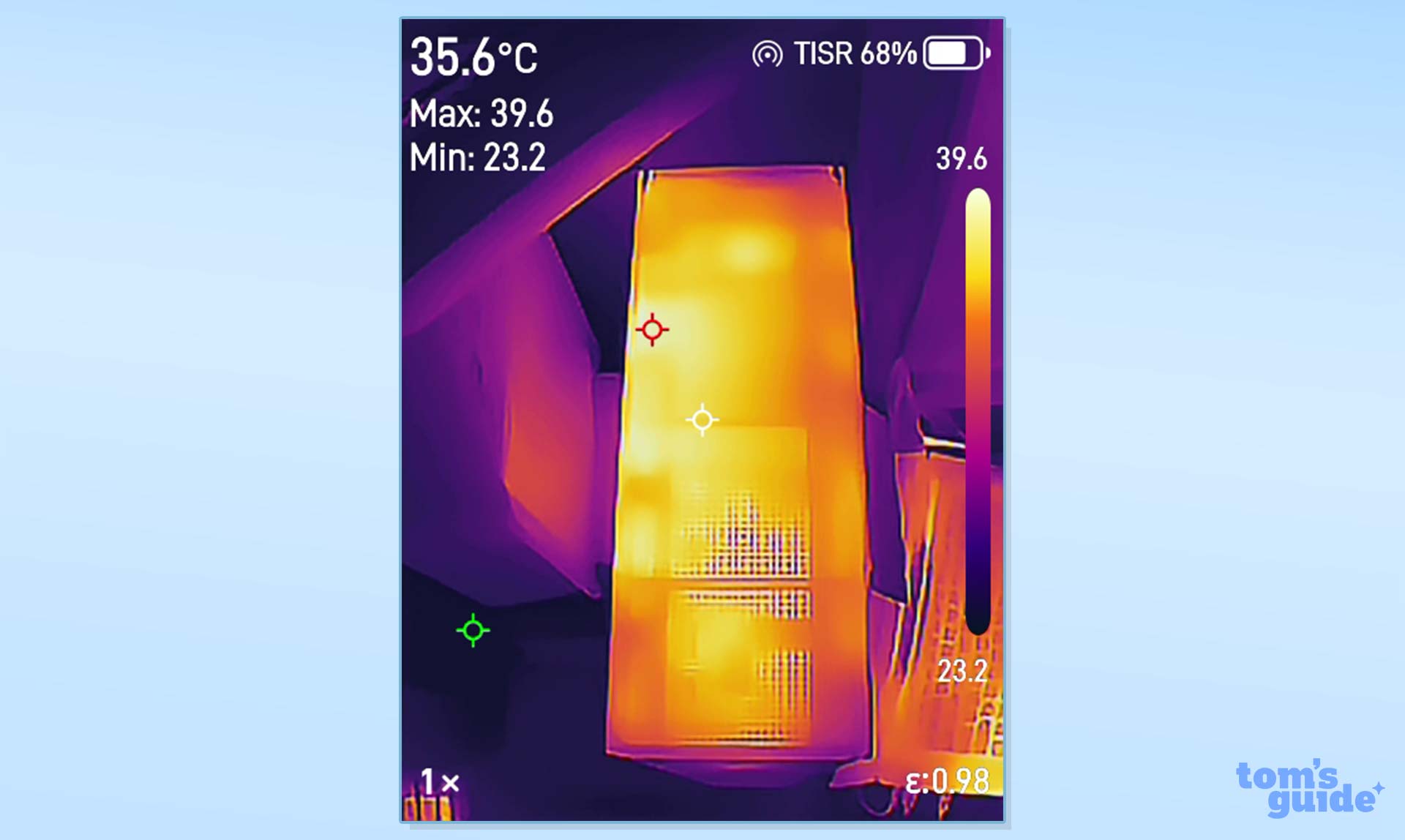
Passively cooled, room air comes in through the bottom and warm air out the top vent. It hit a peak of 104 degrees Fahrenheit during testing.
TP-Link Archer BE770 review: Setup
After plugging everything in, I used my HP Envy X360 notebook and Chrome browser to run through the BE770’s setup routine. Starting at http://tplinkwifi.net, I needed to give each LAN a name and password. It worked on the first try, taking all of 6 minutes.
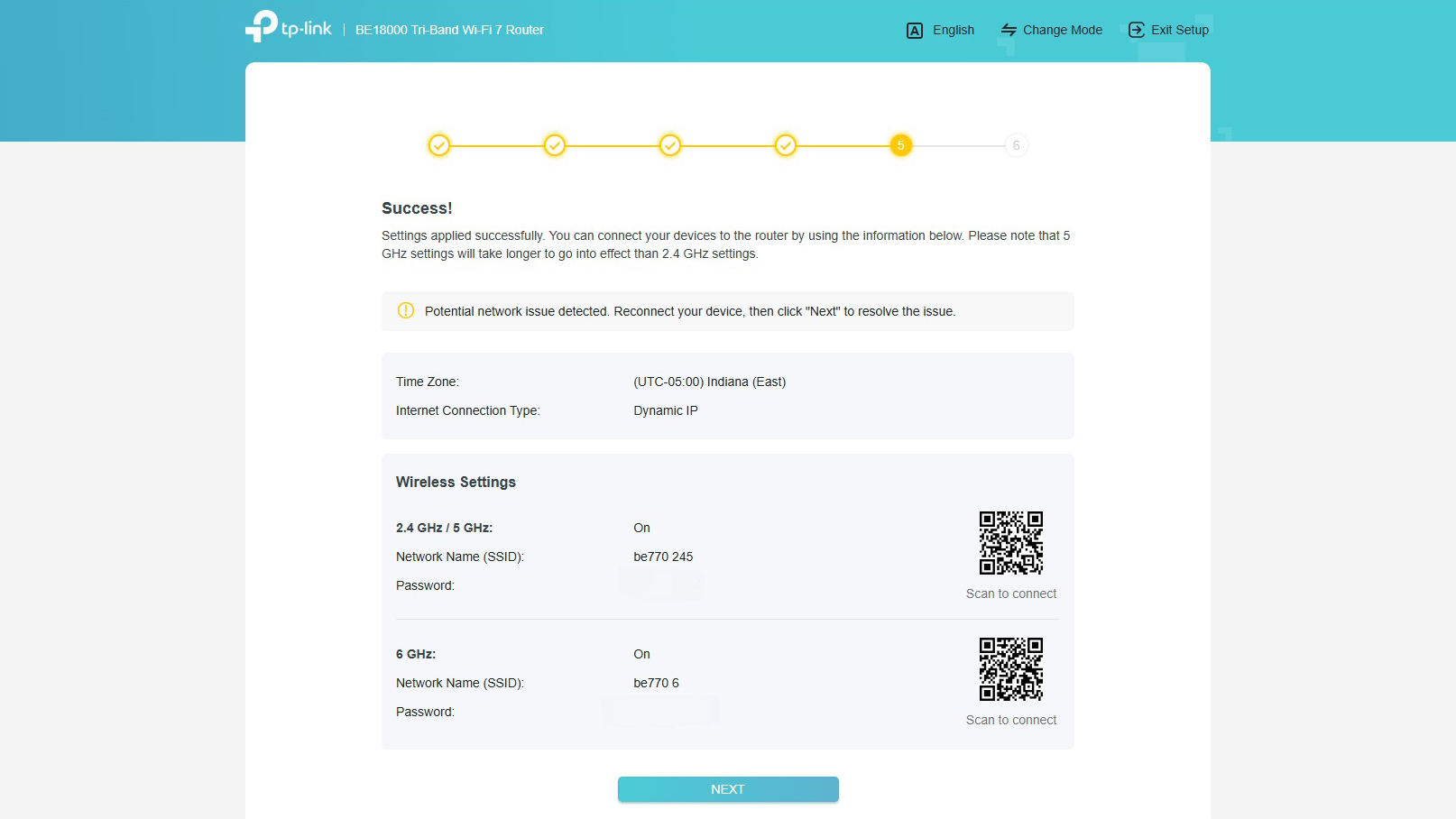
Finally, I switched to TP-Link’s MLO (Multi-Link Operation) to get to a single network name and password. The Tether app is more visual but offers much the same process.
TP-Link Archer BE770 review: Configuration
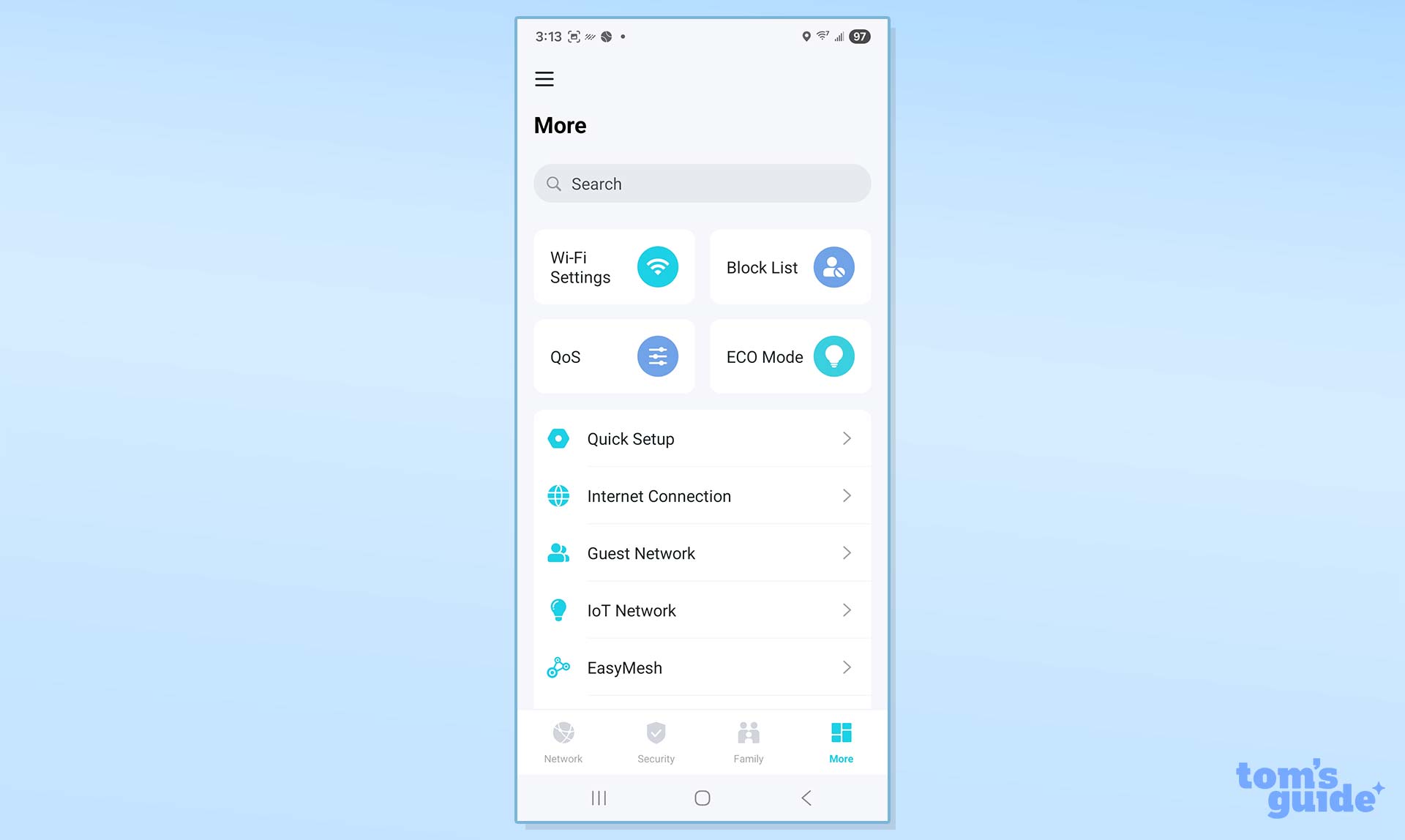
Using the Tether app, I started at the main page full of helpful things like the number of clients and current down- and upload rates.
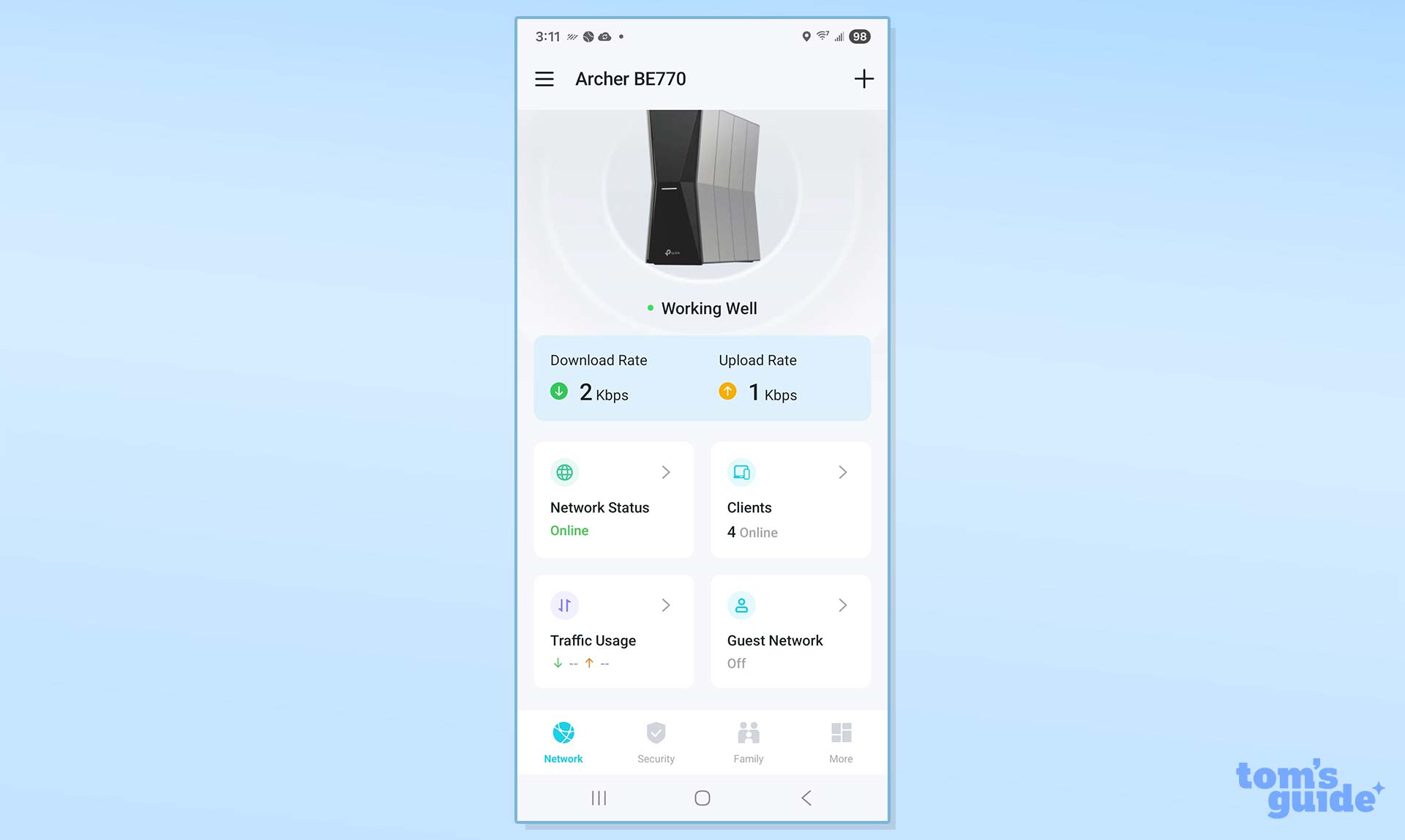
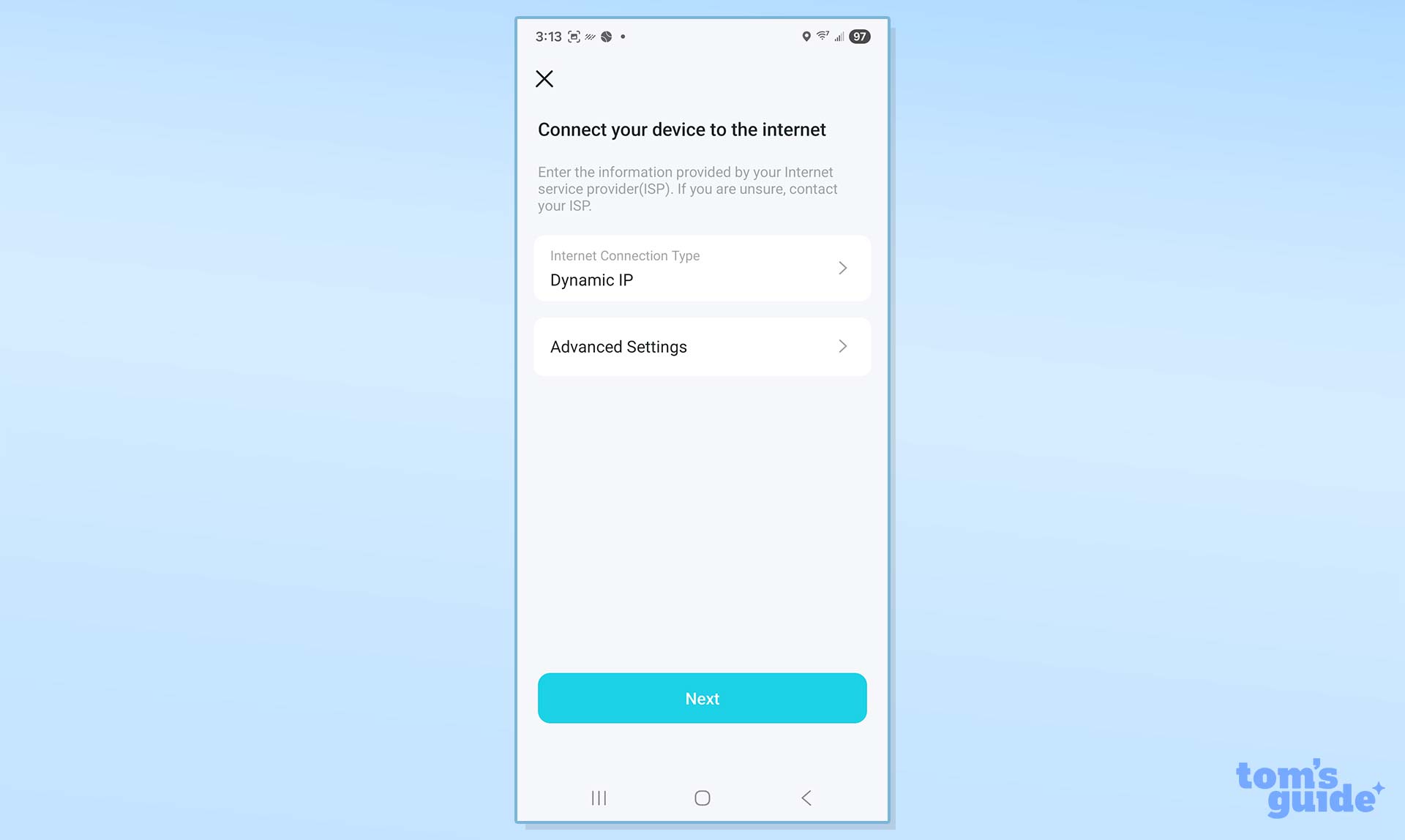
Below, the tabs for Security, Family and the More catch-all category. I was able to see and change anything from blacklisted devices to the Internet connection details. The router’s Network Optimization can streamline access and reduce interference.
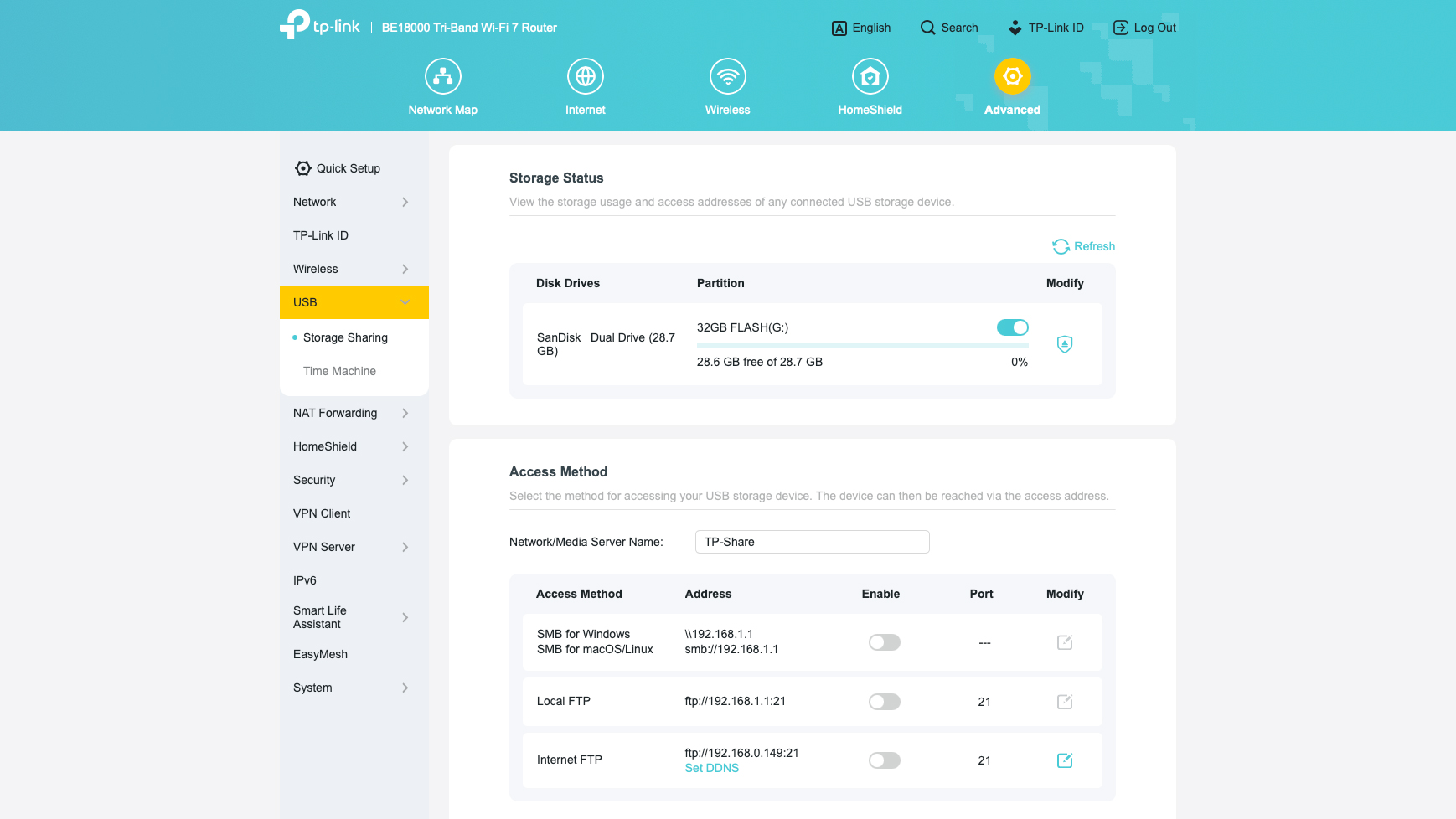
Meanwhile using a connected browser allowed fine-tuning the MLO connection, DNS servers and using DHCP auto IP addressing. It’s where I activated a flash drive connected to the router’s USB port.
The router’s two-year warranty and lifetime support blow Netgear’s one-year coverage and 90-days of included support away. The TP-Link support site has everything from firmware downloads to setup videos. Its manual, however, is only available online in HTML.
TP-Link Archer BE770 review: Verdict
If you’re on a budget, you don’t have to settle for slow Wi-Fi anymore because TP-Link’s Archer BE770 is the best of the best with equal parts peak throughput and extended range. It lacks the visual appeal of routers with info-screens, but for the easily distracted, like me, that’s a good thing.
Regardless of whether it’s streaming 8K video, global gaming or running the latest AI model locally, the BE770 is the one to get for those who demand top speed and range. Getting it at $350 is the icing on the networking cake.
This is a preview from the original publisher. Continue reading at the source:
Read Full Article on tomsguide.com →